
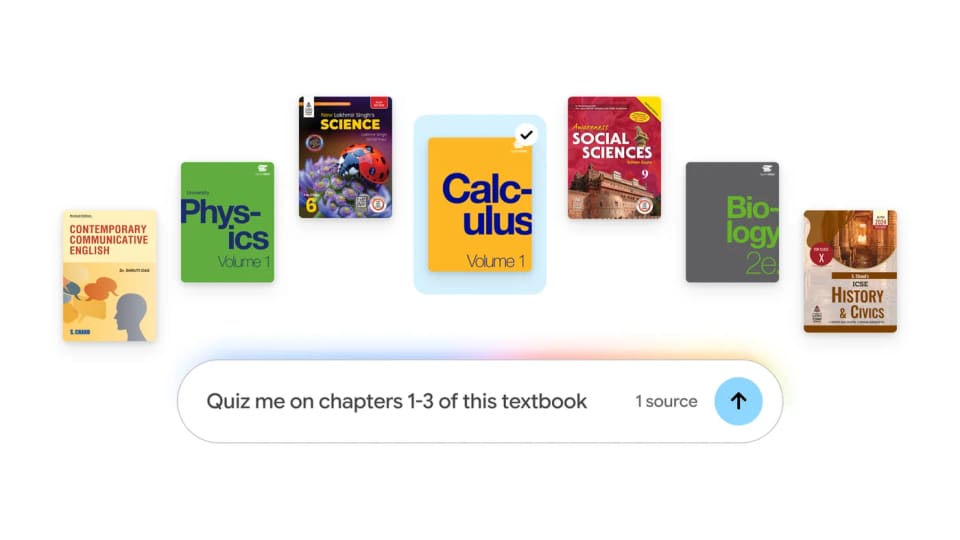
Add a textbook as a notebook source
Google has expanded textbook access in Gemini Notebook, according to its announcement. Students can add hundreds of textbooks from providers in the United States and India, including OpenStax, Open Textbook Library and S Chand Publishing, at no charge through the available catalog.
The entry point is Add sources, followed by Textbooks. That makes the workflow different from uploading an arbitrary file: the user selects a supported title from a catalog already connected to the notebook.
Citations connect study materials to the original
Google says answers are grounded in the selected textbook with inline citations and direct links to the original source. The notebook can also transform content into study guides, practice quizzes and flashcards.
Those links are useful for checking a generated explanation against the relevant passage. They do not remove the need to verify whether a summary or quiz answer faithfully represents the text. A cited source and a correct interpretation remain separate things to examine.
Catalog access is not every book for free
The announcement distinguishes this expansion from existing support for eligible ebooks purchased through Google Play Books. Access to the new partner catalog should not be read as free access to any commercial textbook a student happens to need.
A sensible first step is to check the exact title and edition used by a course, add it as a source and compare one generated exercise with the corresponding chapter. That reveals whether the material fits the class before building a larger study routine around it. The release supplies a simpler route to supported textbooks and source-linked study aids, rather than evidence that generated exercises have been independently validated or that the catalog covers every syllabus.