
Keep the draft and revision in one conversation
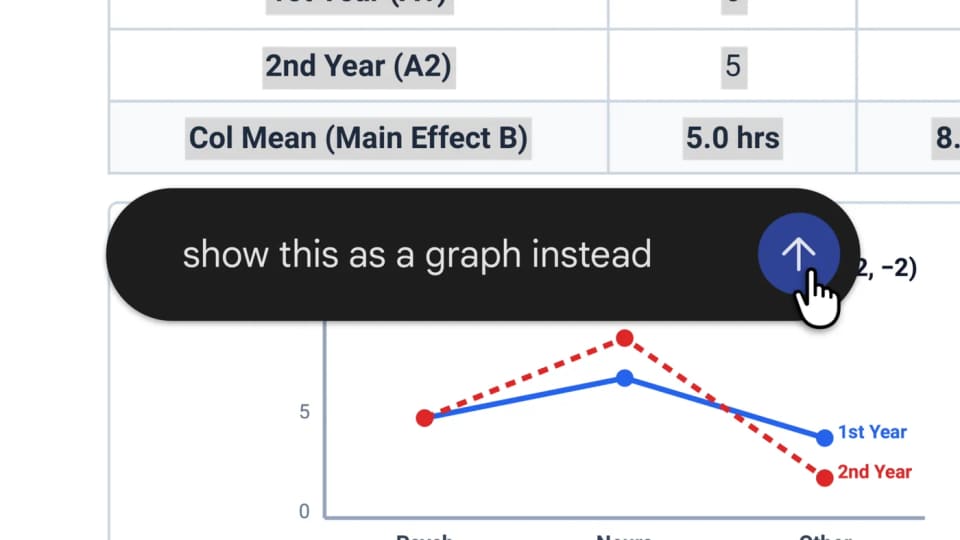
Google has added ways to generate, preview and edit files within the Gemini app, according to its feature announcement. Users can expand a document to full screen, type changes directly, highlight a passage to ask a question or request a targeted revision.
The described workflow combines direct manipulation with a conversation. That could make it easier to correct a small part of an output without asking for a completely new file each time. It also leaves a practical choice between making an edit manually and asking the model to make it.
Support depends on the format and platform
PDF preview and editing are supported on both the web and mobile. The other listed formats, including Google Docs, Google Sheets, slide decks, Markdown, TXT and code, are supported on the web only.
That distinction is important when planning a workflow across devices. A PDF task demonstrated on a phone does not establish that every spreadsheet or presentation operation is available there. Google says the capabilities are available to users in the languages and places where the Gemini app is offered.
Inspect the revision as well as the preview
Google’s example turns handwritten lecture notes into a PDF study guide, followed by manual changes, highlighted revisions and follow-up questions. It demonstrates the intended interaction rather than independently proving that every generated guide is accurate.
A useful first test would use a small document with a known correction. Check that the requested passage changes, that nearby content remains appropriate and that the resulting file still fits its purpose. For tables and presentations, inspect the structure as well as the wording. The release adds editing controls inside the chat; the quality of a particular artifact still depends on the source material and the changes being made.