
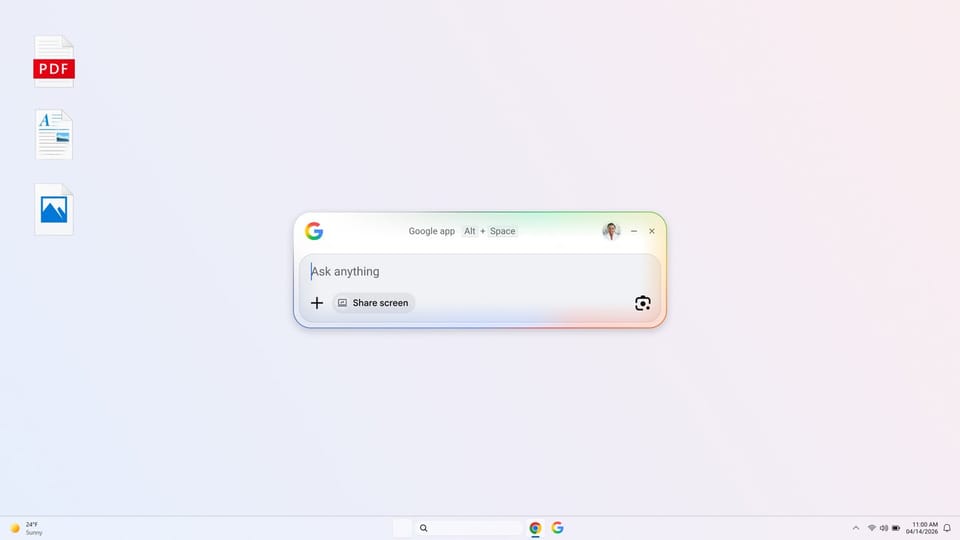
Google app for desktop is available globally in English on Windows
Google has officially launched its upgraded Google app for desktop, providing Windows users around the world with access to the full capabilities of Google Search directly from their computers. Available in English, the application integrates AI-powered features to help users find information and manage tasks without interrupting their workflow.
AI-powered search capabilities
The new desktop application features built-in AI Mode, allowing users to ask questions and receive helpful, AI-generated responses that include direct links to web resources. This integration is designed to streamline the search process, enabling users to find the information they need and return to their previous tasks efficiently.
Streamlined desktop navigation
Users can access the app’s search functionality through a simple keyboard shortcut, Alt + Space. This command opens a search box that aggregates information from across the user's environment, including web results, local computer files, installed applications, and documents stored in Google Drive.
To maintain productivity, the app includes a screen-sharing feature. Users can select a specific window or their entire screen to ask questions or perform searches while working on documents or browsing the web, ensuring they can stay in their flow without switching between multiple programs.
Visual search with Lens
The desktop app also incorporates Google Lens, which allows users to search for content directly on their screens. By selecting specific images or text, users can utilize Lens to translate languages, receive assistance with homework problems, and perform other visual search tasks. This tool is designed to make interacting with on-screen content more intuitive and accessible.
For more information or to install the software, visit the official Google app for desktop page.
Comments (0)
to join the discussion
No comments yet
Be the first to share your thoughts!