
Tensor.art
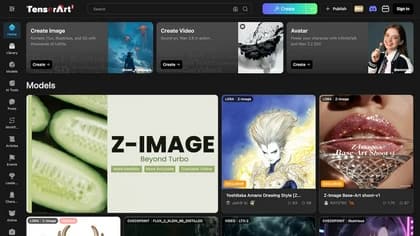
Tensor.Art brings image-generation tools, models and shared workflows together in a browser platform. The current homepage includes a chat-oriented Design Agent, Photoreal Studio, reference-based creation and editing surfaces. The right starting point depends on whether you want to describe an image conversationally or work with a particular model and generation workflow.
Choose a creation surface
Design Agent is presented as a way to generate and edit designs through chat. Photoreal Studio is positioned for photography and realistic scenes, while Brand Design covers logos and marketing visuals. Reference and motion-pose entries suggest different starting material rather than one universal prompt box.
The platform also lists model and workflow areas alongside creator posts. Those listings can help you find a style or approach, but a model's presence in a community catalog does not establish its license, availability on your plan or suitability for a commercial project. Check the actual model and account controls before relying on it.
For a first evaluation, request one defined composition and retain the prompt. Compare a revised version with the first result instead of judging a tool solely from another creator's finished sample.
Find guidance for the workflow you selected
Tensor.Art's official tutorial hub separates classic creation, ComfyUI-based workflows and online model-training resources. It links a multilingual handbook and publisher-produced video tutorials, rather than presenting all of these functions as one identical interface.
The classic-workspace collection includes guidance for restoration, detail refinement and several ControlNet approaches. A separate ComfyUI collection covers workflow setup and text-to-image generation. Training tutorials address uploading and training LoRA-related assets. Choose guidance matching the surface you actually use; a tutorial title alone is not a complete setup procedure.
The page also distinguishes official material from user-written guides. That distinction is useful when troubleshooting an interface change or assessing whether instructions reflect a publisher-supported workflow.
Verify access and output requirements
The retained homepage and tutorial index do not establish a current price, credit allowance or uniform commercial license for every listed model. Do not interpret access to a gallery as unlimited generation or blanket permission to reuse another creator's work.
Before a larger project, confirm the selected tool, model terms and output requirements in your account. Review lettering, anatomy, composition and reference fidelity in each delivered image. These are suggested evaluation checks; this directory has not tested Tensor.Art's speed, visual accuracy or training performance.