
Photiu Image Upscaler
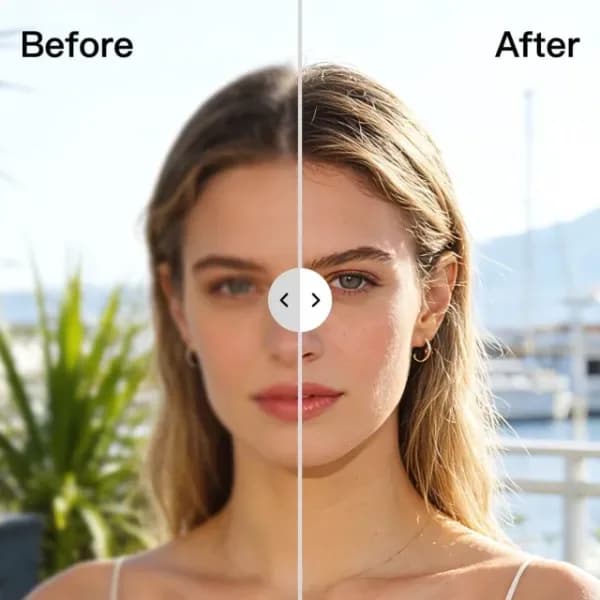
Photiu Image Upscaler increases image resolution with AI processing. It offers twofold and fourfold enlargement, intended for low-resolution photos that need a larger output for product listings, marketing graphics or print layouts.
Enlargement and detail reconstruction
The publisher describes an upscaler that analyses image structure, edges, textures and patterns, then reconstructs missing detail. Its stated aims include clearer edges, reduced noise and natural-looking textures. Those are claims about the processing method and intended result, rather than a measurement of how any particular uploaded photo will turn out.
Photiu lets you preview the enhanced result before downloading. That is useful when deciding whether a specific image still looks natural after enlargement. The page describes choosing an upscale level, letting the service process the file and downloading the higher-resolution version. Users do not need advanced editing skills to follow that workflow.
Uploading one image or a group
The upload area accepts image files, pasted images and image URLs. It also offers ZIP, multiple-file and folder uploads, with a maximum of 50 images shown for the group-upload option. The FAQ confirms JPG, PNG and WEBP support; the upload interface additionally lists JPEG and GIF.
This gives creators and business users a way to process existing visual assets without rebuilding them in an image editor. The product page specifically mentions e-commerce images, client presentations and print designs as possible uses. Choose a source image you have permission to use and review the processed output before adding it to a project.
Commercial use and pricing details
The publisher permits commercial use of processed images when you hold the legal rights to the original image. Upscaling does not change ownership or copyright of the source file. That permission concerns the upscaling process, so it does not grant rights to material someone else created.
The captured pricing page discusses Photiu's credit system for high-resolution background removal. It does not provide a specific upscaling price or a complete plan table. Confirm the charge and available output size in the service before committing to a larger batch. The verified options for this tool are the twofold and fourfold enlargement levels and the upload, preview and download workflow described on its own product page.