
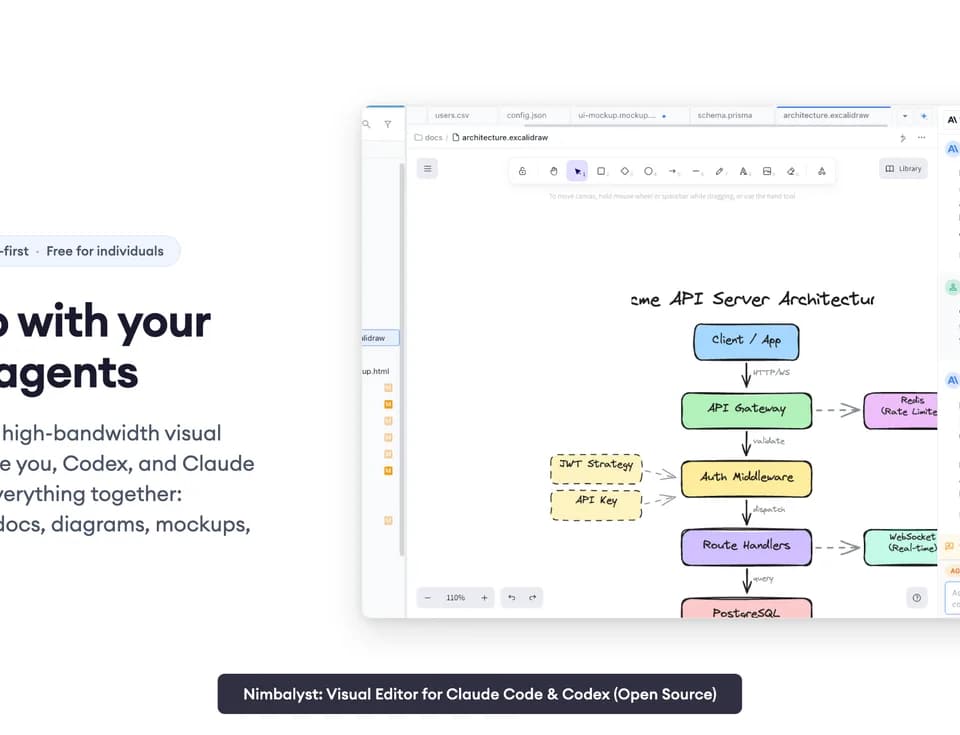
Nimbalyst
Nimbalyst brings coding agents and the surrounding project files into a visual desktop workspace. You can run Claude Code and Codex sessions, edit Markdown, inspect code changes, and work on diagrams or mockups without moving between separate interfaces. The desktop application is available for macOS, Windows and Linux, with an iOS companion for managing sessions remotely.
Edit project artifacts beside your agent
The Nimbalyst feature page describes WYSIWYG Markdown, Monaco code editing, CSV spreadsheets, mockups, Excalidraw drawings and Mermaid diagrams. AI edits appear as red-and-green inline diffs that you can accept, reject or change. Markdown documents also have version history with restore.
Session history is searchable, and sessions link to the files they read or write. You can run several sessions in parallel and organize them on a Kanban board. Optional Git worktrees isolate work on different branches; the integrated Git view supports inspecting diffs, staging files and preparing commits. Pull-request review is available through the Developer Mode toggle, including an agent review and opening a PR branch in a worktree.
Keep plans connected to implementation
Tasks, bugs, ideas and decisions can appear inside documents and feed a shared tracker. Agents can read the backlog and update tasks as work proceeds. The context graph links plans, diagrams, sessions, diffs and files, helping the next session recover the material behind a change.
An extension system allows custom file editors and agent providers. Claude Code and Codex are supported providers; the publisher labels OpenCode and GitHub Copilot integrations as alpha. MCP support connects agent sessions to external tools. Review the provider status before relying on an alpha integration for a team workflow.
Local files and shared team work
The collaboration guide says each teammate works locally with their own agents. Only files or trackers that you promote to shared status are synchronized, and invited teammates can edit them together. A browser-based console lets someone review or edit a shared plan without installing the desktop app.
The pricing page lists Individual at $0 with no feature limits or trial period. You bring your own AI access, such as a supported subscription, API key or local model; the provider still handles its usage and billing. Teams is free during beta, with stated future pricing of $20 per user per month or $200 per year. Enterprise uses custom pricing for options including a collaboration server in the customer's cloud and jurisdiction-specific data residency. The publisher says the desktop and iOS apps use the MIT license.