
Crano
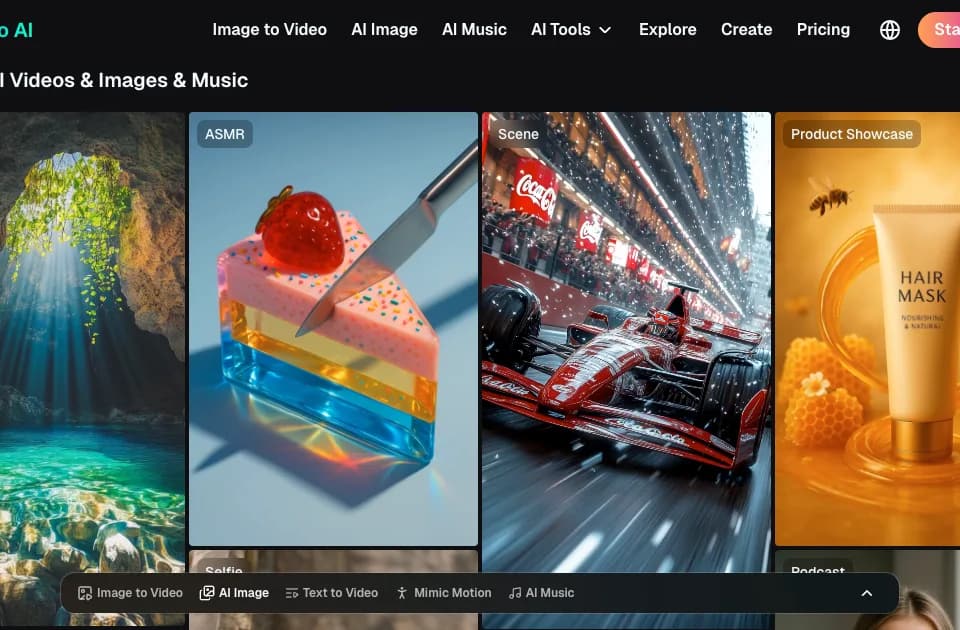
Crano is an AI creative workspace for generating, editing, and collaborating on videos and images from text, images, and video inputs. It is designed for creators, marketers, and businesses producing social, advertising, product, and illustrated content.
What it does
Crano combines AI video and image generation with editing tools in one platform. Users can create videos from text prompts, animate still images, transform video, or use reference media as part of a generation workflow. For images, it supports text-to-image and image-to-image creation, including restyling, character variations, outfit changes, and visual improvements.
The platform also includes tools for extending videos, editing videos and images, mimicking motion, and creating music. Its listed use cases include TikTok and Reels content, short dramas, anime, cinematic projects, marketing campaigns, product demonstrations, brand assets, illustrations, manga, manhwa, fashion concepts, and scientific or technical visualizations. Crano says its generated content can be used commercially, provided that user-supplied materials do not infringe third-party copyrights.
Notable capabilities
- Text-to-video, image-to-video, reference-to-video, and video-to-video generation workflows.
- Text-to-image and image-to-image generation for illustrations, characters, environments, and design concepts.
- Video editing, video extension, image editing, motion imitation, and music generation tools.
- Creative formats and use cases including AI shorts, anime, animation, avatars, advertising materials, lip-sync content, and ASMR videos.
- Paid plans with access to video and image models, faster generation, templates, watermark-free downloads, and output up to 720p or 1080p depending on the plan.
Who it helps
Crano is suited to social media creators who need short-form visuals, marketers developing ad creatives, and e-commerce teams producing product demos or showcase assets. It may also fit illustrators and design teams working on manga, manhwa, branding, fashion, or product concepts. Its combination of text, image, and video inputs makes it relevant to workflows that move from an initial idea or reference image to edited media. In that respect, it addresses a similar multi-input creation task to Vireel, which also generates and edits videos and images from text or uploaded photos.
How it fits a workflow
A typical workflow can begin with a prompt, uploaded image, or video link, followed by a choice of generation mode and model. Users can create an image or clip, refine or transform it with editing tools, and prepare variations for social, marketing, product, or illustrative work. Crano’s workspace approach is also relevant when a project needs both generated assets and subsequent video editing rather than separate tools for each stage. Seedeo covers a comparable broader workflow by combining AI video, image, music, voiceover, and editing functions in one workspace.
Strengths and limits
Crano’s main practical strength is the breadth of its listed generation and editing modes, spanning text, images, video, and music. The vendor also offers a free trial, while paid plans are credit-based and differ in output resolution and monthly generation allowances. The pricing page lists Lite at $10 per month, Pro at $20 per month, and Premium at $109 per month, with yearly options advertised at a discount. The plans are described as one-time purchases that do not renew automatically. Credits expire at the end of the plan period, and purchased credit packages expire after 180 days. Actual output quantity depends on credit usage and the selected generation type, so users should evaluate consistency, resolution, and credit consumption for their specific workflow.