
Free Image to Video Converter Online
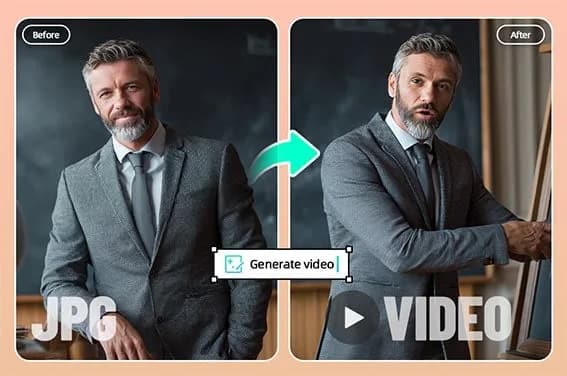
insMind’s Image to Video turns a still image into a short AI-generated video. Users upload a photo, describe the desired motion, preview the result, and reuse it for social posts, product promotion, presentations, or personal projects.
What it does
The tool adds movement to portraits, product photos, pets, travel images, memories, lifestyle photos, and character artwork. A motion prompt can describe subject actions, camera movement, speed, mood, background, framing, video length, and social format. The stated workflow creates a short clip without building a timeline or animating elements manually.
Users can also choose creative directions such as digital art, anime, cartoon, Ghibli-inspired scenes, mini figures, or game-like visuals. Listed effects include 360-degree rotations, 3D figure effects, dynamic camera movements, pet animations, fantasy scenes, and character transformations. The tool can be used from a desktop, tablet, or mobile browser.
This workflow is similar to AIImagetoVideo.video, which also turns uploaded still images into short clips based on described movement, and to ClipTrend.ai, whose browser workflow supports photo uploads with optional motion prompts.
Notable capabilities
- Converts one still image into a short video with described motion.
- Supports camera movement, subject animation, mood, background, and framing instructions through plain-language prompts.
- Offers image animation styles and effects for portraits, products, pets, artwork, and social content.
- Supports use cases including ecommerce promos, product launches, UGC ads, TikTok videos, Reels, Shorts, presentations, travel clips, and memory videos.
- Provides a generate-and-preview workflow before downloading or reusing the result.
Who it helps
The tool is suited to creators who need motion clips from existing images, ecommerce teams preparing product showcases, marketers testing short advertisements, and individuals animating portraits, pets, travel photos, or family memories. It may also fit educators and presenters who want to turn lesson visuals or presentation images into short video snippets.
How it fits a workflow
Start with a clear image containing one main subject and visible details. Upload it, write a prompt describing the intended movement and visual style, then review the generated clip for motion, framing, and subject consistency. The result can be used in social posts, ads, ecommerce pages, presentations, or creative projects. For business use, the source image and other visual elements must be properly licensed.
Strengths and limits
Its main strength is a concise image-to-video workflow that combines image upload, prompt-based control, preview, and reuse. However, the site states that free access applies to selected tools and features, while credits, duration, export quality, and advanced options may vary by account or plan. Results also depend on the clarity and suitability of the source image and the specificity of the prompt.