
Peony
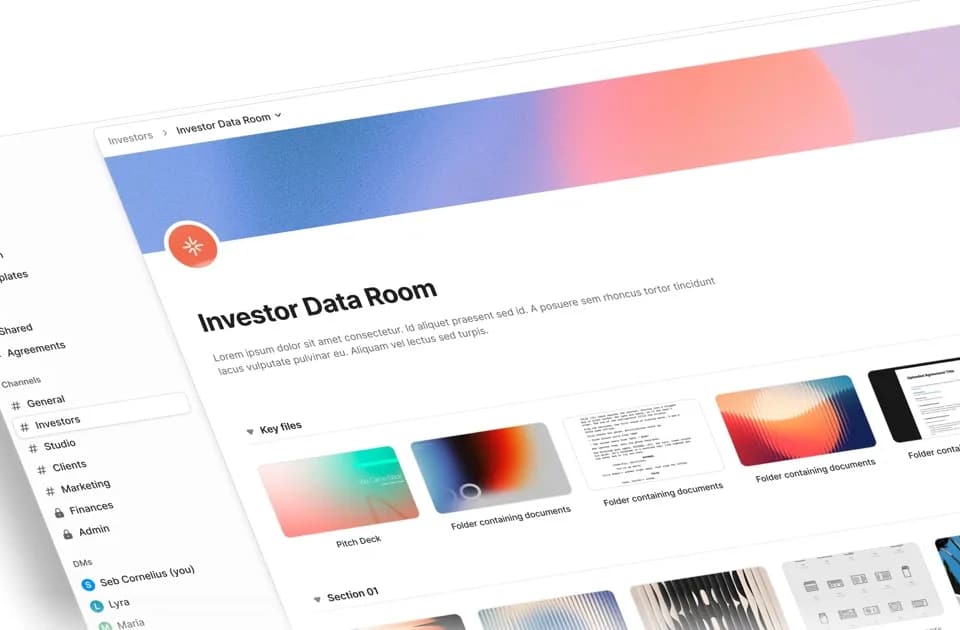
Peony organizes document sharing around data rooms, recipient links and access controls. It targets workflows such as fundraising, due diligence and client document exchange. Its AI features include questions across documents, suggested redactions and organizing files into a room structure.
Define access before sharing a room
Peony lists per-folder permissions, passwords, email verification, expiring links and revocation. It also offers personalized links and page-level analytics showing which material a viewer opened. Use those controls to decide who needs each document, rather than treating every invited counterparty as having the same access.
The pricing page distinguishes a Simple NDA acknowledgment from an Advanced NDA with signed PDFs for both parties and an audit trail. If you need a particular legal agreement or signature process, confirm that the selected plan supplies it and have the document reviewed for your situation. A feature labeled NDA does not by itself establish an appropriate agreement.
Peony also advertises watermarks and screenshot protection. Its documentation has a section on screenshot-blocking limits. Treat these as controls to evaluate, not a promise that recipients can never capture or disclose information.
Review AI answers and redactions against the documents
The feature description says document questions return cited answers with exact page numbers. Use those citations to check important figures and qualifications in the original, especially when several versions of a document are present. Smart Q&A can draft answers for your team to review before sending them to counterparties.
Peony describes scanning for sensitive terms and suggesting redactions for approval. Check the shared version after applying a redaction, including footnotes and tables. Confirm that every required item is concealed before making a link available. AI assistance does not transfer that responsibility away from the document owner.
Match the plan to both features and administrator count
The pricing page lists a free plan for up to 50 documents and three e-signatures per month. Business displays $30 per administrator per month billed annually, with up to 1,000 documents and three data rooms per administrator. Data Room displays $52 per administrator per month billed annually and adds granular permissions, advanced NDA handling and higher AI question usage.
Deal Team displays $64 per administrator per month billed annually with a minimum of four administrators. It lists advanced redaction, API access and more structured Q&A. Check the plan-specific details rather than assuming every AI feature advertised on the feature page is included in Business.
Enterprise terms are custom and include options such as self-hosting, custom data residency and negotiated agreements. Review those requirements with your security and legal teams before uploading regulated or confidential deal material.