
Renovate AI: Home Design Visualizer
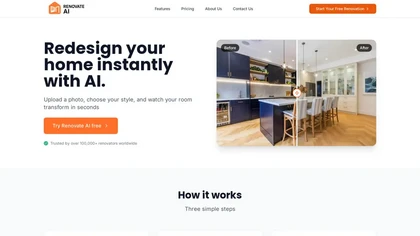
Renovate AI generates visual concepts for interior and exterior spaces. Its official site starts with a photo, then offers styles, materials, furniture and other changes to explore. Homeowners and property professionals can use the resulting pictures to discuss a proposed renovation or staging direction.
Explore changes from an existing space
The basic workflow is to capture or upload a room, choose a style or edit, and generate a visualization. The tool list includes virtual staging, exterior transformations, landscaping, wall and exterior paint, cleanup, upscaling, and rendering from sketches or elevations.
That range supports several distinct questions: how a room might look furnished, which wall color to explore, or how an outdoor area could be presented. The output is a visual concept. It should not be mistaken for a measured construction drawing, an approved structural change or proof that every pictured item is available to buy.
The publisher also describes support for photos or renders of under-construction spaces and earlier-stage sketches. Its FAQ says the core workflow is optimized for photo-based inputs, so review the suitability of another input type before using it for a client deliverable.
Compare concepts and keep the project
Completed projects can be accessed and synchronized across iOS, Android and web applications. The web Studio is another entry point for rendering work. Some tools on the homepage are marked Pro, making it important to check access before committing to a workflow.
The site also advertises renovation cost estimates with materials, labor and finishes. Treat those as planning information to verify with the people supplying and performing the work. A generated visualization does not establish a contractor quote or the feasibility of a design.
Inspect the render before using it
The publisher acknowledges that generated designs can contain visual artifacts, including unrealistic furniture details and small inconsistencies. Input quality and the complexity of the style can affect the result.
Compare a render with the original room or exterior. Check openings, furniture scale, fixtures and surfaces before sharing it as an illustration of a proposal. For a property listing, make clear what has been virtually changed.
Renovate AI is most useful for discussing appearance before making physical changes. Its images can help a homeowner, designer or contractor agree on a direction, while measurements, material selection, costs and construction decisions remain separate work.