
OpenAI Codex
Work on code in your preferred client
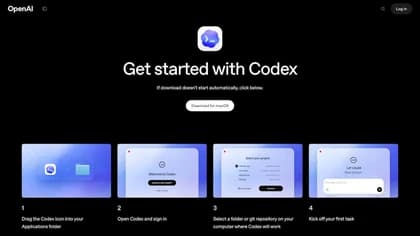
OpenAI Codex is an AI agent for writing, reviewing and shipping code. The official access guide explains how to sign in with a ChatGPT account through desktop Codex mode, the command-line client, the IDE extension or Codex web.
For terminal work, the guide says to open a project directory, run Codex and describe the task. The VS Code extension supports most VS Code forks; other IDEs can use the CLI in their terminal. Choose the client that fits your project workflow rather than assuming the interfaces have identical controls.
Start with a defined task, such as reviewing a proposed change or investigating a reproducible bug. Supply the relevant requirements and inspect the resulting changes before accepting them. This is a suggested use of a coding agent, not evidence that Codex has tested your particular repository or can ship it without engineering review.
Separate local work from cloud tasks
Local workflows run on your device, while Codex Cloud tasks run on OpenAI-managed computers. The cloud service uses reusable environments and has separate eligibility and workspace-access controls. Access to a local client does not establish that an account can create a cloud environment.
Cloud tasks can continue while your computer is asleep. A remote connection to a task running on your own computer still depends on that computer and its access settings. Confirm which execution route you are using before relying on a task to continue unattended.
Managed workspaces can control local use and cloud access separately. Repository connections, credentials and network access also require the appropriate cloud setup. Ask the workspace administrator about an unavailable action rather than assuming a different client bypasses the restriction.
Check account limits and data controls
The guide describes plan-dependent usage limits and directs users to Settings, a usage dashboard or the CLI status command to inspect their allowance. Consumption depends on the model and task, including its complexity, context and tools. This page does not promise a fixed number of tasks or simultaneous agents.
Review the data controls that apply to your account before sharing code or screenshots. OpenAI says business inputs and outputs are not used to improve its models by default. Personal-plan users should inspect their training controls rather than assuming the same default. Workspace requirements can also constrain model choices and connected capabilities.