
Charios
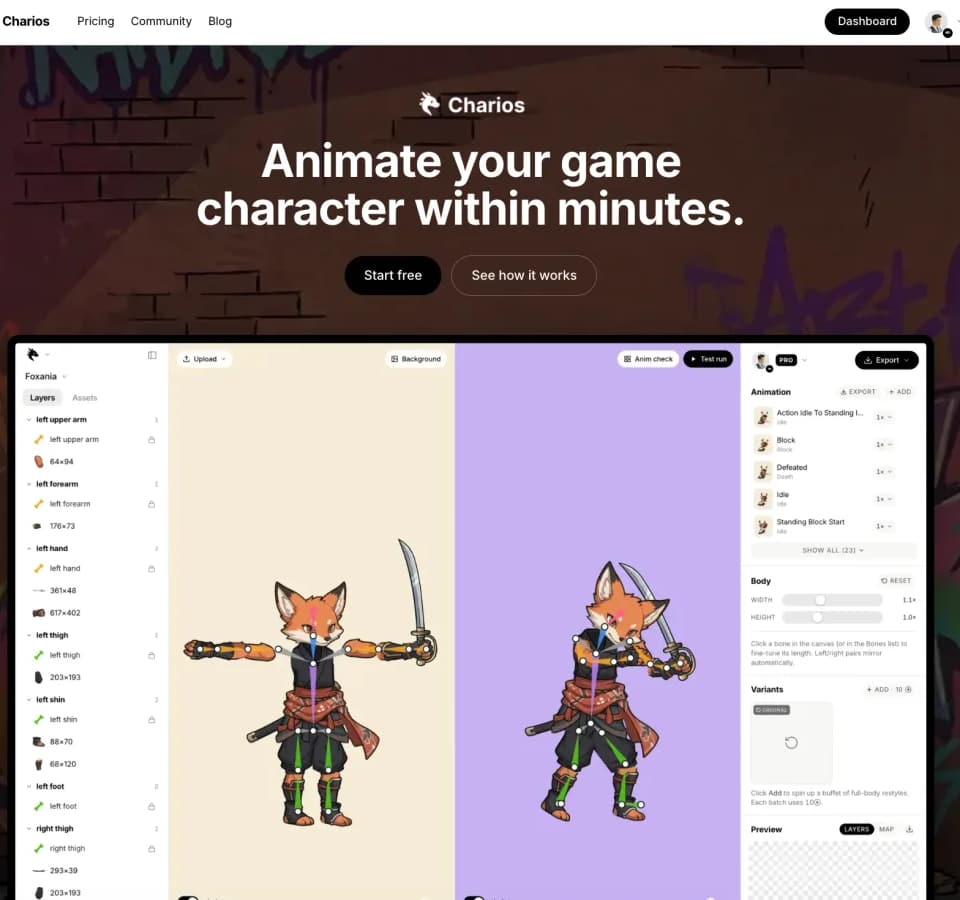
Charios helps game developers and artists test how a 2D character moves without building a full animation rig from scratch. Its browser editor places layered sprites on a fixed humanoid skeleton, retargets motion-capture clips and previews deformation while you edit. AI generation features split character art, create variants and regenerate individual layers.
Check the character under motion
The documentation describes a 17-bone skeleton. You place sprites near joints, adjust bone dimensions and watch the result rather than drawing an unrestricted custom rig. That makes humanoid designs the sensible starting point; inspect unusual proportions or accessories before assuming the fixed skeleton suits them.
Charios detects disconnected alpha regions and exports them as transparent layers. Its editor supports layer repainting and position adjustments with live previews. The 3-by-3 animation-check grid lets you compare poses across clips, useful for spotting an arm or weapon that disappears behind the body.
You can import BVH or FBX motion files. The site names several mocap sources, but their presence in the workflow does not settle the licenses for files you obtain elsewhere. Check both artwork and motion permissions before distributing a game.
Verify the export in your engine
Charios advertises GIF output and engine exports for Unity, Godot and Unreal. The documentation describes baked animation curves and posed engine assets, while pricing identifies PNG-sequence and JSON export as paid features. Confirm the export format available on your plan, then import a small character into your actual engine version before committing a project.
The editor is desktop-first; the documentation says mobile support focuses on previewing projects. Projects auto-save to the cloud, so browser access does not mean a local-only workflow.
Published clip counts disagree. Documentation says 87 clips ship in the box, while the homepage, about page and pricing identify 13 bundled clips. Check the current library instead of treating the larger number as a guaranteed allowance.
Read the lifetime-credit details
The pricing page lists Free with three active projects and 30 monthly credits, Pro at $20 per month with 500 credits, and Studio at $45 per seat per month with 2,000 credits per seat. Generation buttons display their costs before use. Subscription credits reset monthly; purchased top-ups do not expire.
The $50 founders lifetime offer has conflicting credit descriptions. The comparison table shows 500 monthly credits, but its FAQ describes a 5,000-credit one-time bonus, the free tier's 30-credit monthly allowance and a permanent 25% top-up discount. The FAQ also excludes some future compute-heavy features from the blanket lifetime promise. Get those entitlements confirmed before buying. A permanent editor license should not be mistaken for unlimited future AI generation.