
DeepSwapAI.io
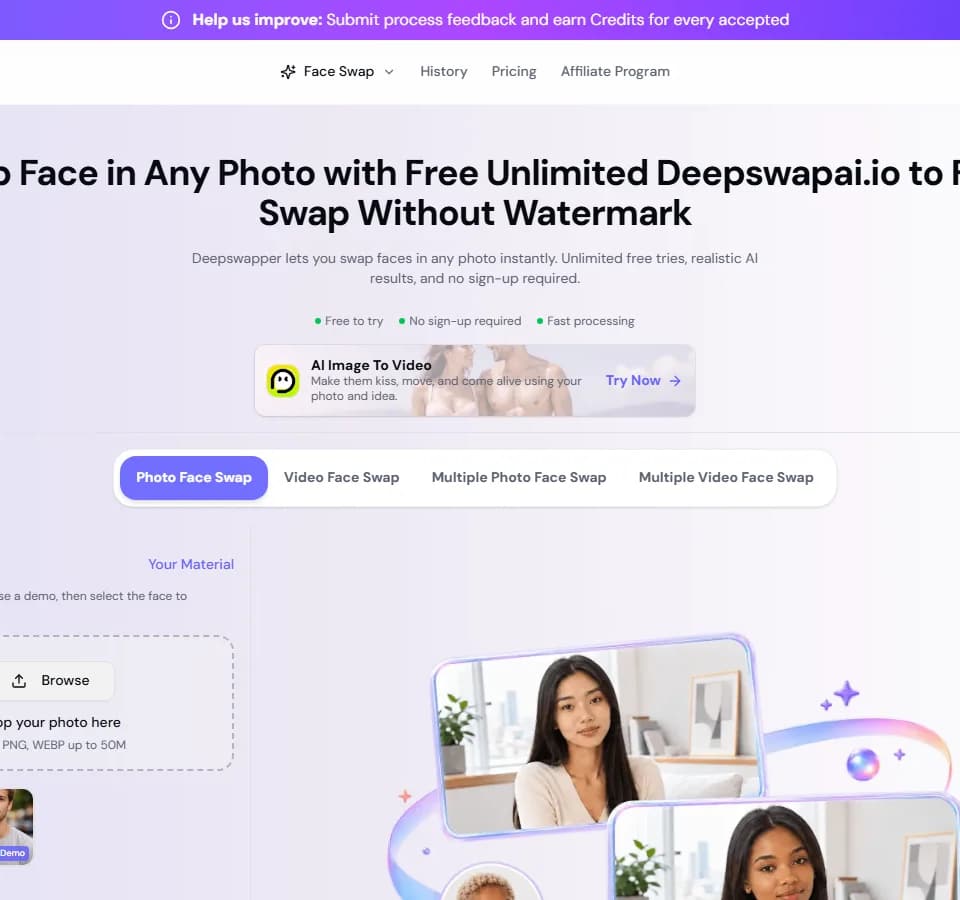
DeepSwapAI.io replaces faces in uploaded photos, videos and GIFs through a browser interface. The publisher also calls the service Deepswapper. You supply the original media and a replacement face, then preview and download the edit. Its separate single-face and multiple-face modes suit consented creative projects and group-photo experiments.
Choose the faces before generating
The photo workflow asks you to upload a source image, select the face to replace and add a replacement portrait. The publisher recommends clear, front-facing photographs with good lighting. It lists JPG, PNG and WEBP inputs, with GIF and video workflows available elsewhere in the service.
For group photographs, DeepSwap says it can process up to six faces. Check each person's permission before uploading a team or family image, and inspect the resulting face boundaries rather than accepting the first preview. A replacement that looks convincing in one frame may still need closer inspection during movement.
If a project also needs avatars or talking photos, FaceAI.art includes those workflows alongside photo, video and GIF face swapping. Compare the particular media workflow and upload requirements you need; that overlap does not establish equal output quality.
Check the credit cost and the current upload limit
The pricing page describes one-time credit purchases without subscriptions. It lists one credit per photo swap and ten credits per 15 seconds of video. Free results are listed as watermarked, up to 720p; paid output is advertised up to 4K. The captured page does not show the cash price of a credit package, so confirm that before buying.
Several limits disagree across the site. The homepage advertises unlimited free tries, while pricing specifies five daily tries. The upload widget says 10M for photos, but the FAQ and pricing table list 20 MB. A homepage video section says ten minutes; the FAQ and paid pricing table say twenty. The free pricing tier lists videos up to fifteen seconds.
Treat the active upload form and checkout as the details to confirm for your account. Start with a small file before committing to a long clip or purchasing capacity.
Consent and storage deserve a closer look
DeepSwap advertises encryption and says it does not share uploaded photos with third parties. Those are publisher assurances, not a Franklin security audit. Use images you have permission to process, avoid sensitive personal material, and label a shared edit so viewers do not mistake it for authentic footage.
Retention information also conflicts. The FAQ describes temporary guest results, seven-day storage for signed-in users and thirty days for paid users. Pricing instead lists permanent paid history, source-file and saved-face storage. Ask support which policy applies before uploading identifiable faces, including how to delete the source files.
The advertised similarity score above 90% and ten-second processing for a one-minute video are vendor claims. Evaluate a short permitted sample for facial alignment and consistency, and download any result you intend to keep.