
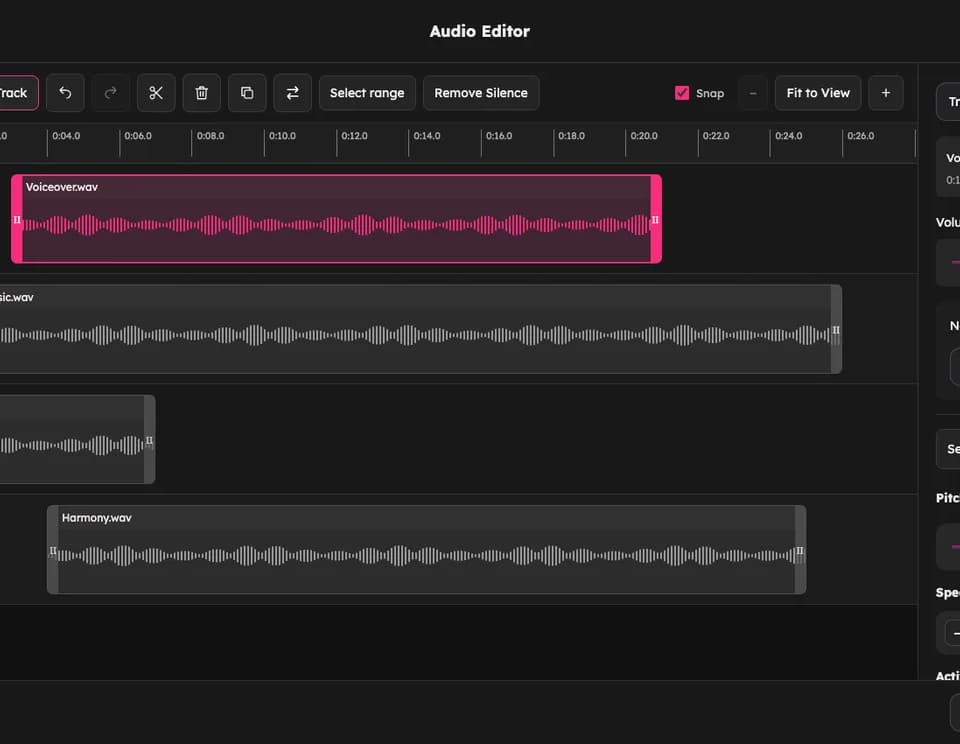
AudioMuse combines browser audio editing with optional AI finishing tools
AudioMuse brings recording edits, multitrack arrangements and AI finishing tools into one website. Its official homepage describes workflows for music, podcasts and video soundtracks, making it useful when a project needs several audio operations without moving between separate utilities.
Edit and arrange a recording
The editor supports up to six tracks. You can trim clips, split a recording, remove sections, move clips independently and preview the combined arrangement before export. Volume controls, normalization and fades help balance voice, music and other audio.
Pitch and speed can be adjusted independently. The site lists a speed range of 0.25× to 4×, which could help with listening practice or checking a difficult passage. Listen to the resulting audio before exporting: changing a control is not a guarantee that the material still sounds natural.
Add AI processing where it helps
AudioMuse offers mastering, audio enhancement and stem separation. The mastering tool lets users choose a style and loudness target. Its enhancer targets noise, echo and buzz, while the stem tool separates vocals and instrumental material.
For a podcast, a practical sequence is to remove unwanted takes, balance speakers, then test noise reduction on a short representative section. Compare the processed voice with the original before applying the same settings to a complete interview. That is an evaluation workflow, rather than a claim that we tested AudioMuse's output.
Understand which work stays local
The publisher distinguishes local editing from cloud AI tools. It says Audio Editor files are processed on your device and optional projects stay in the browser; tools requiring cloud AI processing are separated.
That distinction matters for private recordings. Check the specific tool's processing and retention details before supplying sensitive audio. The site describes the service as free to start, so also check the relevant AI allowance before treating the whole toolkit as unlimited.