
Arguseye: preview real components for coding agents and VS Code
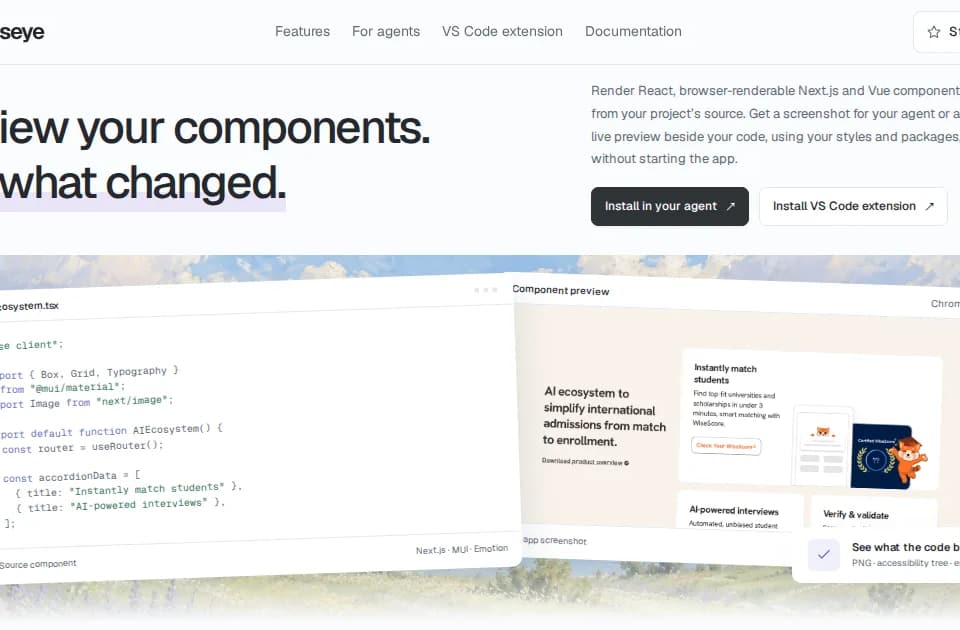
Arguseye gives coding agents and developers a view of a component before they finish an edit. It renders source with the project's own packages and styles, returning visual and accessibility evidence through an MCP interface, a CLI or a VS Code extension.
Render the component in its context
The official site lists support for React, Next.js, Vue, Nuxt, Svelte, SvelteKit, Preact and Solid. Its renderer attempts to reconstruct the providers, plugins and layouts the application supplies, without requiring separate stories or a running application.
The output includes a cropped image, an accessibility snapshot, a source fingerprint and warnings or errors. Missing inputs remain visible as incomplete context. That is useful when an isolated component looks correct but depends on a surrounding theme, provider or layout to behave as intended.
Compare an edit with a baseline
The workflow supports capturing a baseline, editing the source and comparing the resulting render. Call-site discovery can identify literal prop values and preview up to 12 isolated variants in a batch. Runtime expressions remain unresolved rather than being presented as known inputs.
A useful test is to render a component in more than one meaningful state and viewport, then check the screenshot and accessibility output together. Visual comparison can expose a changed layout; it cannot establish that all interactions or application routes still work.
Installation and limits
The documented setup requires Node.js 22 or later. Agent integrations and the VS Code extension use the same rendering engine, with extension controls for choosing exports, usage examples and viewports.
The site distinguishes actual project screenshots from its illustrative interactive demo. It also states that a visual change is evidence for review rather than an automatic design verdict. Treat the tool as a way to inspect component-level consequences, and retain full application and interaction checks for the behavior that an isolated render cannot cover.