
AIClothSwap
AIClothSwap is an AI clothes-swap and virtual try-on studio for previewing or replacing outfits in photos. Its official tool combines a person image with a garment or outfit reference, with free access available after sign-in for eligible accounts.
What it does
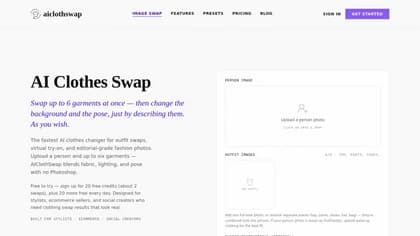
AIClothSwap lets users upload a front-facing person photo and an outfit image, then generate a preview of the person wearing the referenced clothing. The outfit image can show one garment or a complete look; Studio Quality supports up to six garments and can follow more detailed instructions. The service is designed to preserve the subject’s pose, background, lighting, and body proportions while fitting the replacement clothing into the image, according to the vendor.
Users can select a garment area such as upper body, lower body, or full outfit. Studio Quality also supports text-based directions for a clothing concept when no garment photo is available, as well as requests involving the background, pose, setting, or mood. Example use cases include changing colors, testing layered looks, creating on-model images from flat-lay photos, and producing variations for lookbooks or social content.
The basic Free Preview provides one person and one outfit without prompt control. Essential Try-On uses 10 credits and offers basic prompt control, while Studio Quality starts at 15 credits and is intended for more precise results. The service is adults-only, and a human-verification check is required before generation.
Who it helps
The product is positioned for stylists previewing wardrobe combinations, ecommerce sellers creating on-model product imagery, fashion brands preparing lookbook or campaign variations, and social creators testing outfits before buying or shooting content. Photographers can also use it to explore additional wardrobe variations from an existing session.
Notable capabilities
- Full-look swaps can combine tops, bottoms, shoes, hats, bags, and other accessories in one generation.
- Studio Quality supports image editing, up to six garment images, and optional text instructions for clothing, scenes, and poses.
- Garment references can come from flat-lay or on-model images, while text can describe a desired outfit when no clothing image is available.
- The service includes preset try-on categories such as wedding dresses, bikinis, graduation outfits, prom dresses, and men’s outfits.
How it fits a workflow
A typical workflow is to upload a clear person photo, add an outfit reference, select the garment area and quality level, complete the secure check, and generate the result. Users can iterate on styles, colors, and outfit combinations, then download the output. Free accounts receive 10 daily credits when eligible and require sign-in; free results are watermarked. Paid options include monthly or annual memberships and one-time credit packs, with details listed on the pricing page.
Strengths and limits
The focused workflow is useful when the main task is clothing replacement rather than general image editing. The free tier provides a way to preview the process without a card, while higher-quality modes add multi-garment editing and more prompt control. Practical results depend on the uploaded images: the site recommends clear, well-lit, front-facing photos with the current outfit visible. The service is for creating a new outfit on the subject, not removing clothing. AIClothSwap states that uploads are encrypted, not used to train public models, and deletable by the user; these are vendor-stated privacy commitments rather than independently verified results.