
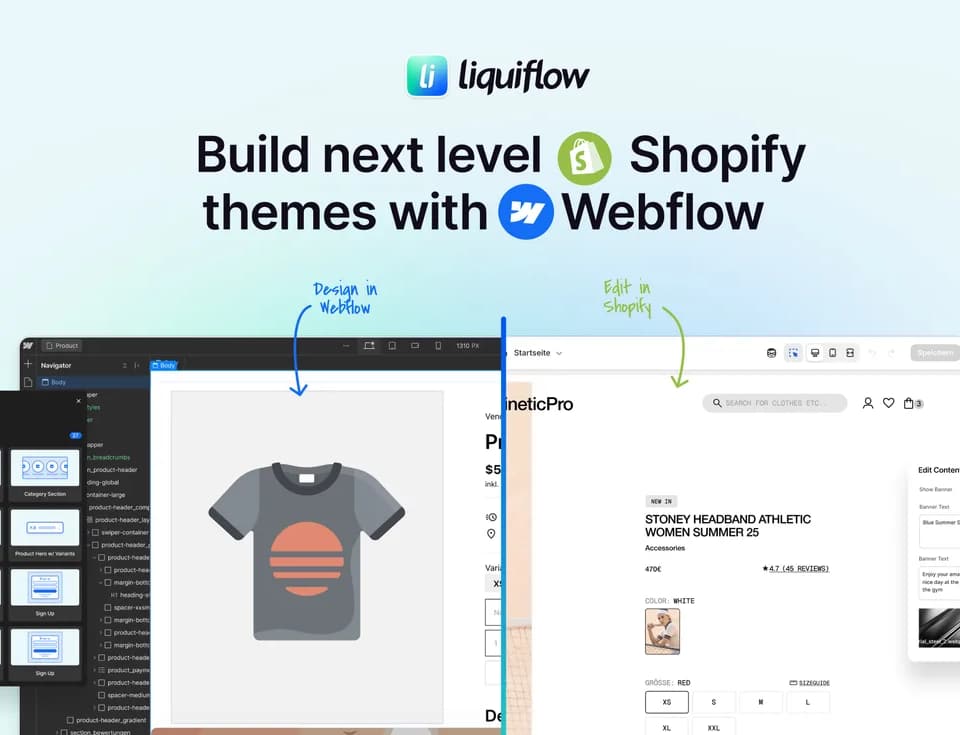
Liquiflow
Liquiflow connects Webflow’s visual design workflow with Shopify’s native e-commerce infrastructure. It lets users create Shopify 2.0 themes or individual Shopify sections in Webflow, then manage store content and commerce functionality in Shopify.
What it does
Liquiflow offers two main workflows. Its Theme Builder converts a Webflow design into a fully working Shopify 2.0 theme built from scratch. Its Section Builder creates custom Webflow sections that can be added to existing Shopify themes. After conversion, the resulting theme is intended to follow Shopify theme standards, allowing Shopify apps such as subscriptions or reviews to be used.
The product uses Webflow for front-end design while Shopify remains responsible for products, content, commerce functionality, analytics, and tracking. Shopify content editing takes place in Shopify; Webflow is used to position variables and define how dynamic content is displayed. Liquiflow also supports Shopify dynamic data through metafields or metaobjects, theme blocks, and Shopify Markets, according to its website.
Who it helps
Liquiflow is aimed at Webflow designers, developers, freelancers, agencies, and e-commerce teams that want Webflow’s design controls without moving Shopify’s store management into a separate headless system. It may fit teams building bespoke Shopify storefronts, extending an existing Shopify theme with custom sections, or producing multiple client projects.
Users do not need extensive Liquid knowledge, although the company recommends understanding the basics. A valid Webflow account plan is required for conversion, but the site states that paid Webflow hosting is not needed. The workflow is also designed for Shopify projects where customers need to continue managing editable content in Shopify.
Notable capabilities
- Shopify 2.0 Theme Builder for creating a complete theme from a Webflow design.
- Section Builder for adding custom sections to existing Shopify themes.
- Two-way synchronization that supports continued collaboration and editing after publishing.
- GitHub synchronization and support for Shopify theme blocks, metafields, metaobjects, and Markets.
- A Webflow app with more than 30 components, including product sliders, collection tabs, filters, dynamic cards, search, and variant controls.
How it fits a workflow
A typical process starts with designing a theme or section in Webflow, applying Liquiflow attributes and dynamic data positions, and converting the result into Shopify. The output can be published directly to Shopify, where store owners manage products, content, and theme settings. Liquiflow provides a starter theme, documentation, tutorials, and a Discord community for support. Its pricing page lists a Starter plan for one Shopify project and a Pro plan for unlimited projects; current plan details are available on the official pricing page.
Strengths and limits
The main practical benefit is keeping Shopify’s native commerce and app ecosystem while using Webflow as the visual design environment. This avoids requiring product synchronization into Webflow, as would be needed in the headless approach described by Liquiflow. However, the workflow has implementation requirements: sections should be treated as standalone files, CSS must account for the target Shopify theme, fonts should generally inherit from Shopify, and JavaScript-based functions such as add-to-cart behavior may need theme-specific adaptation. The company also notes that the Section Builder works best for content sections connected to dynamic data.