
TheCartoonist
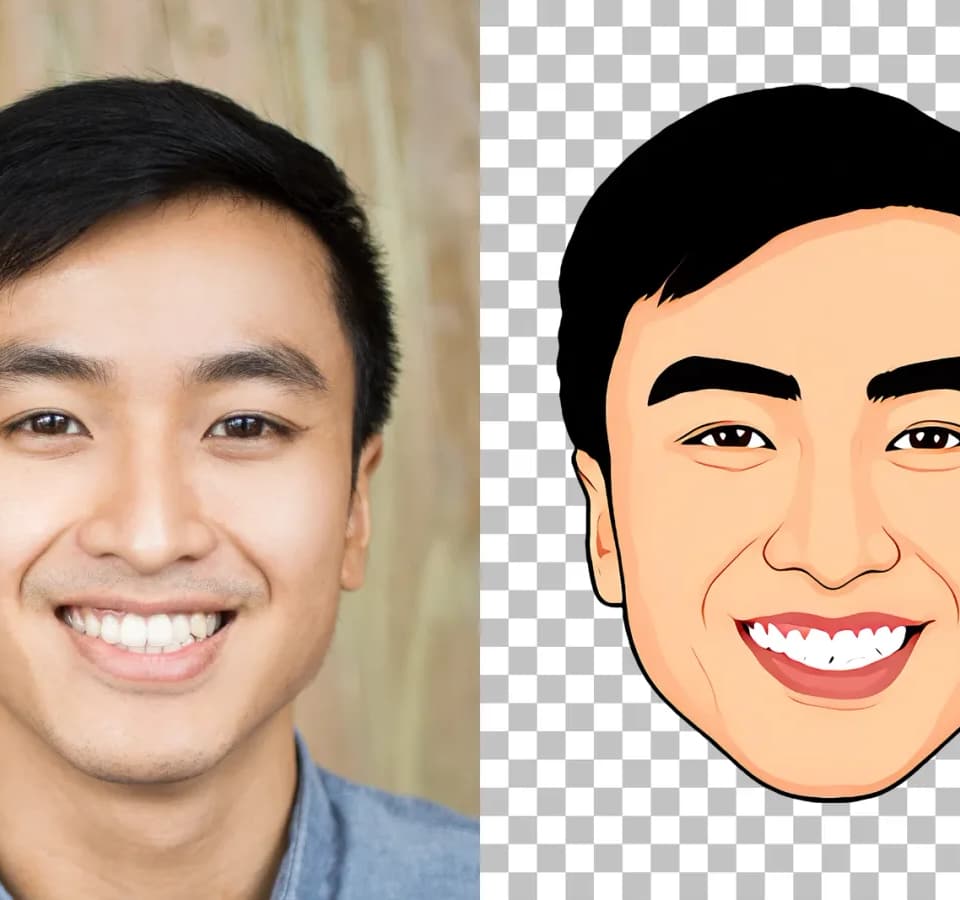
TheCartoonist converts a portrait or selfie into a cartoon illustration. Its official page presents a photo-upload workflow and examples that let visitors compare illustrations with the original faces. The publisher attributes the visual style to a caricature maker's hand-drawn experience. Franklin has not tested how well the output preserves a particular person's likeness.
Prepare a clear portrait
TheCartoonist asks for a clear, front-facing photograph. Its photo instructions recommend even lighting, an unobstructed face and high resolution. Those requirements matter before you upload: hair over the face, a side-on pose or blur can leave less useful information for the conversion.
The page suggests a fresh selfie against a plain background and says blurry photos produce blurry cartoons. Start with a picture you have permission to use. An example gallery cannot establish that a difficult group photo, heavily edited portrait or unusual angle will work as well as the advertised input.
Upload and inspect the cartoon
The public workflow starts without signup. The publisher describes its FaceCap engine as mapping the face's vectors and drawing the cartoon, followed by a download-and-print step. The advertised high-resolution pack includes 4K PNG files and desktop or mobile wallpapers.
The page promotes a free cartoonizing step, but the retrieved material does not provide a complete checkout price or establish that every download option is free. Inspect the actual export offer before purchasing a pack. For a profile picture or printable gift, check the face, edges and dimensions in the output rather than judging it only from a small preview.
Check the handling of uploaded photos
TheCartoonist advertises automatic deletion every 15 minutes. It also links terms and a privacy policy and displays references to several privacy standards. Those statements are the publisher's representations; they do not establish an independent privacy audit. Read the linked policy before uploading a sensitive portrait, especially if another person appears in it.
The site suggests uses such as social profiles, gifts and personal branding. Confirm the rights attached to the purchased output if you intend to use it as a business logo or sell printed products. The retrieved homepage alone does not define a commercial-use license.