
ArchRender
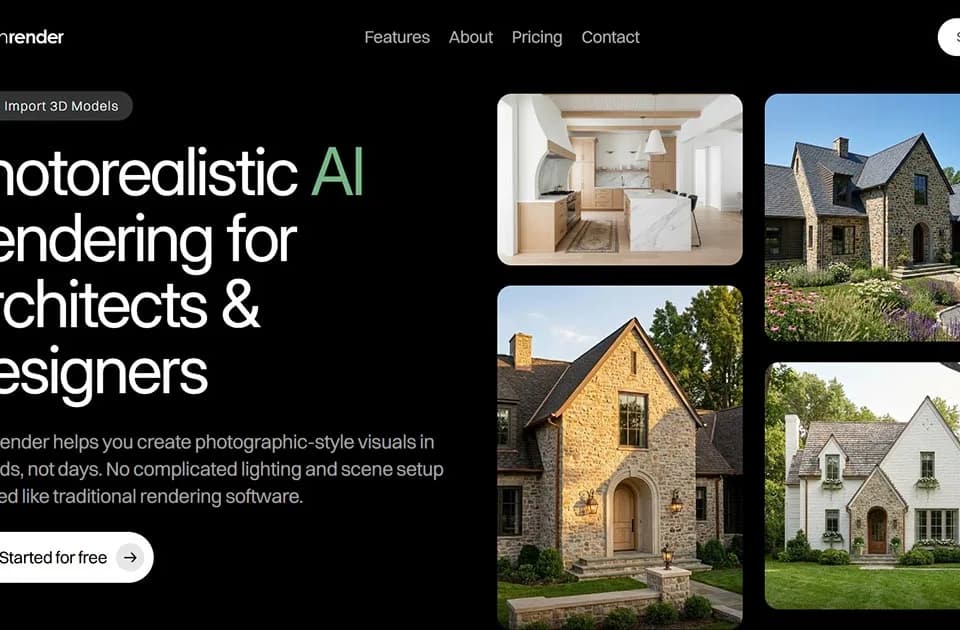
ArchRender generates architectural renders from sketches, elevation drawings and 3D models. Architects, designers and builders can use it to explore materials and show a concept to a client. Homeowners can also visualize a house from plan elevations.
Rendering and editing
Render Mode creates a new visual from a drawing or model. Edit Mode makes targeted changes to an existing image or render. A user can describe materials, style, mood and lighting in a natural-language prompt or upload an inspiration board for colors and finishes.
The controls include season, time of day and surrounding environment. For imported 3D models, users can adjust the angle, field of view and aspect ratio before rendering. The homepage lists OBJ, FBX and GPL as supported file types. Because that last label is unusual, verify your exact model format in the import interface before choosing a plan for that workflow.
ArchRender also offers 4K image upscaling and saved prompts. Those features are relevant when a team wants higher-resolution presentation images or wants to reuse a visual direction across several renders.
Keeping design options together
ArchRender organizes source images and renders inside projects. You can generate several versions, compare variations without overwriting earlier work and return later to refine a design. The workflow moves from choosing Render or Edit, through style and prompt settings, to generation and iteration.
The publisher's explanation positions ArchRender as a complement to traditional tools, especially for early and middle design stages. It explicitly says the service is not meant to replace traditional tools where precision is required. Treat generated imagery as a way to explore or communicate a concept, and retain the precise design work in the appropriate architectural tools.
Credits and plan capacity
Basic lists 150 credits a month, five projects and 5 GB of storage. Pro lists 300 credits, twenty projects and 25 GB. Studio lists 800 credits, unlimited projects and 100 GB. All three list 3D model import and 4K upscaling, while Pro and Studio add priority support.
The captured homepage shows a limited-time discount and monthly and yearly billing options. Confirm the current billing amount and how many credits each action uses before estimating a project's cost. The page offers a free entry point for trying the rendering workflow.