
KnowCast
KnowCast creates explainer videos from a topic, article, or lesson. Its homepage describes turning an idea into a narrative with scenes, captions, infographics, and other visuals, then reviewing and exporting the result. It can provide a starting structure for educational or product explanations without requiring a blank editing timeline.
Define what the audience should understand
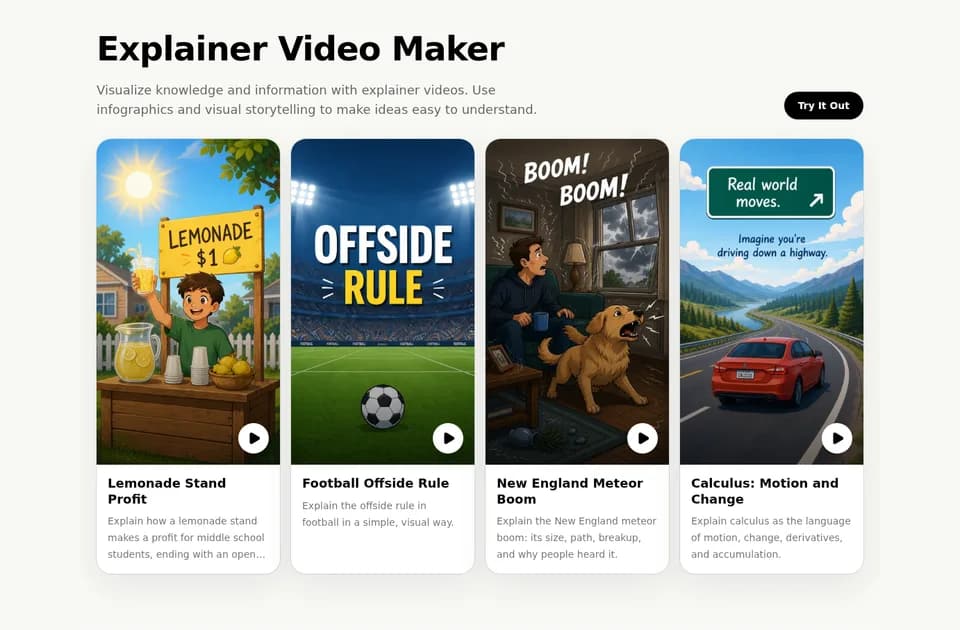
The site's examples include explaining profit to middle-school students, describing football's offside rule, and introducing calculus. These illustrate the importance of specifying both the subject and the audience. A broad topic can produce a different explanation from a request aimed at a particular age or background.
Give the generator a focused objective and check the resulting narrative against the source material. For a technical subject, make sure the visuals and captions express the same relationships as the explanation. An attractive infographic can still label a process incorrectly or omit a condition that changes its meaning.
The homepage describes a generated video-ready structure before visual creation. Review that structure before treating the finished sequence as teaching material. Keep the original article or lesson available so factual corrections do not depend on the generated script alone.
Review scenes and narration before export
KnowCast's workflow includes a review of scenes, captions, and pacing. Use that stage to check whether the audience has time to read a label and whether narration explains what the image shows. If a scene is illustrative, avoid presenting it as footage of a real event.
The platform also advertises voice cloning through a conversational recording experience, with the resulting voice reused in videos and narration. Use your own voice or a recording you have permission to provide. A voice sample should not be interpreted as consent to impersonate someone in unrelated material.
The homepage's demonstration of a short recording is an example, not a universal minimum or a guarantee that every voice will be reproduced with the same quality. Review the actual narration for pronunciation and meaning.
Confirm the practical limits before a series
The site invites users to start free, but its homepage does not specify a complete pricing schedule, export resolution, video-length allowance, or retention period. Check those details before planning regular production or uploading private lesson material.
For an explainer series, start with one permitted topic and verify that the exported video fits the destination. Keep factual approval separate from stylistic approval: smooth pacing and familiar narration do not establish that a generated scientific, historical, or product explanation is accurate.