
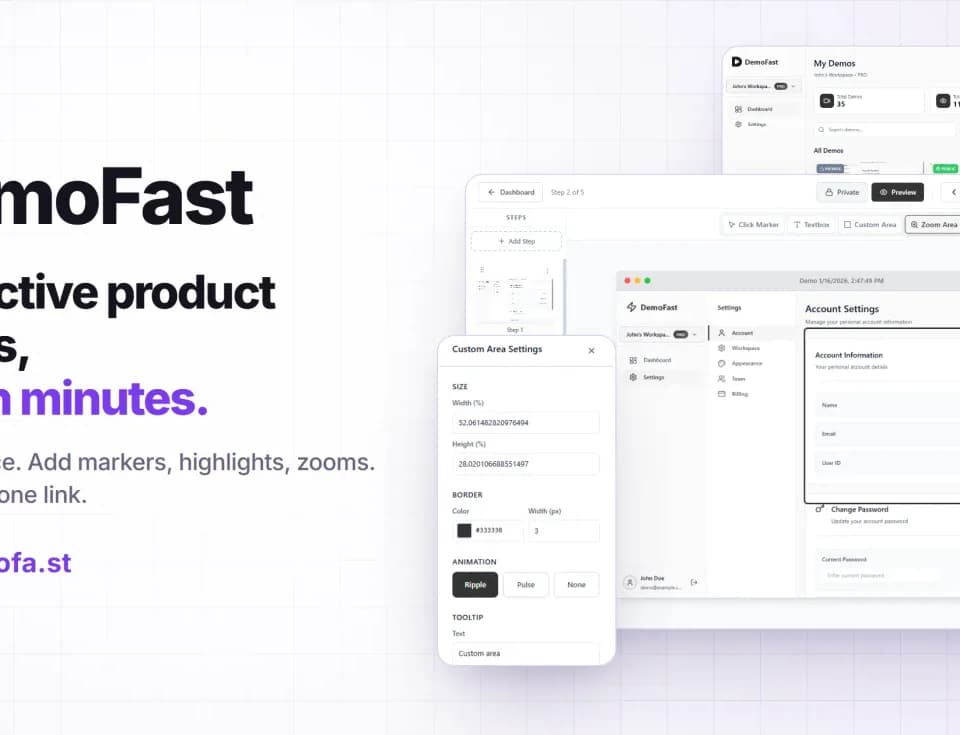
DemoFast
DemoFast helps SaaS teams create clickable, self-guided product demos. A buyer or new customer can move through a guided product flow from a shared link or website embed. Creation uses screenshots and a visual editor, without coding or maintaining a live demo environment.
Capture a flow and explain each step
You can record a product flow with the Chrome extension or upload screenshots. The editor adds textboxes, click markers, custom highlight areas and zoom areas to explain the interface. It also lets you edit a demo without recording the whole flow again.
That approach fits a focused walkthrough: show the screens involved in one task, then add the context needed for someone to follow it. The publisher names product, marketing, sales and customer success teams as intended users. Its examples include sales follow-ups, website demos and customer onboarding.
Share, embed or export
Demos can be shared by link or embedded on a website. The homepage lists landing pages, blog posts, help documentation, launch pages and onboarding pages as places to use them. An interactive walkthrough can therefore travel with a written explanation or sales follow-up.
DemoFast exports demos as WebM video or GIF files. Those exports serve presentations, social posts and other channels that cannot host an interactive embed. The export changes the delivery format, so choose the interactive link when you want the recipient to click through the steps themselves.
Pro includes analytics for views, engagement and drop-off points. That information can help a team revise a demo when viewers leave before reaching a key step. It describes viewing behaviour rather than proving that a demo improves sales.
Free and paid access
The Free plan allows up to five live demos, essential annotations and public share links. Pro lists 100 demos, richer annotations, full analytics, custom branding and lead-capture integrations. Enterprise uses custom pricing and adds account management, custom API and CRM integrations and SSO.
The pricing page shows an early-access offer for Pro alongside another monthly figure. Confirm the current offer when upgrading. The useful starting point is the free plan: make a walkthrough of an actual product flow, then determine whether analytics, branding or a higher demo limit justify a paid plan.