
RenderAI
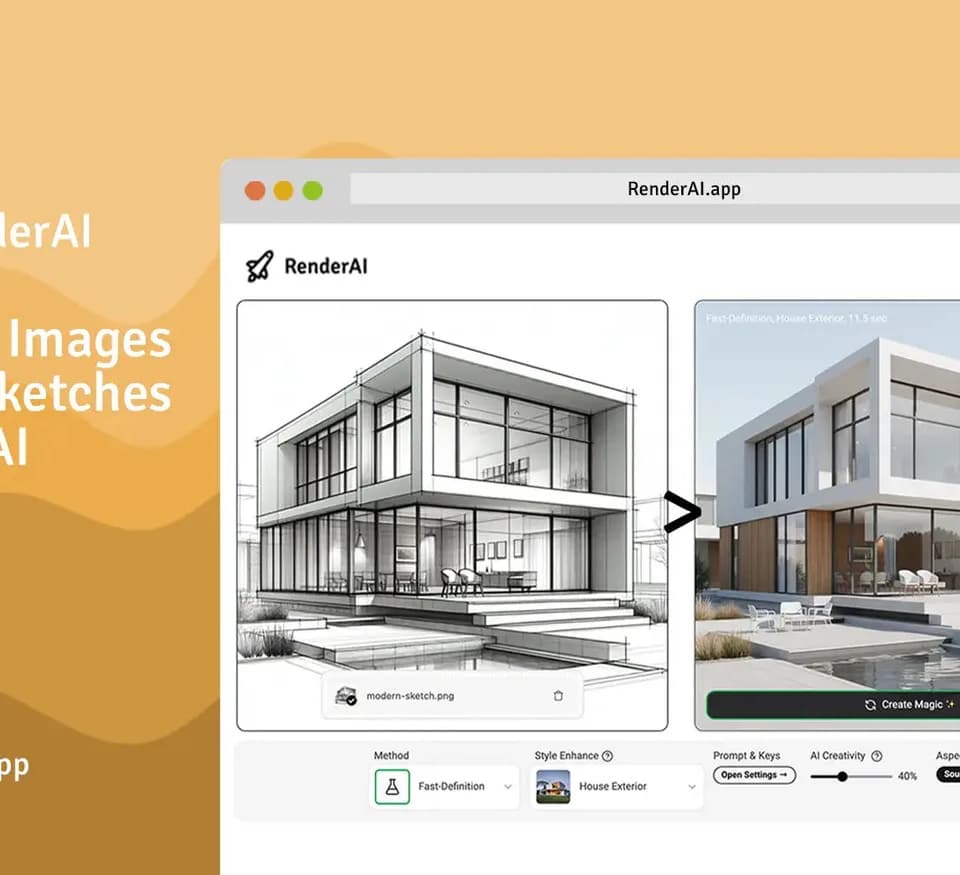
RenderAI helps architects, interior designers, engineers and product designers turn reference images into rendered visualizations. You can upload a sketch, a model image or a photograph and generate an image for a concept presentation or design discussion. The browser application also includes project boards for arranging outputs and tools for upscaling and animation.
Start with the design material you have
The RenderAI product page describes sketch-to-image generation and photo-based interior redesign. Its examples include buildings, furniture, kitchens and product concepts. For a CAD workflow, the pricing page says you can upload a screenshot or JPG/PNG export from software such as Revit or Rhino; this describes an image-input workflow, so prepare an image of the design you want to visualize.
The pricing comparison also lists text-to-image methods. Sketch methods range from Instant-Edit to Ultra-Quality 4K, with different token costs. Select the method according to the amount of interpretation and output quality your presentation needs, then compare the resulting image with your original design before sharing it with a client.
Organize images and animate renderings
Project Boards place renders from your history on an infinite canvas. You can compare alternatives side by side and build moodboards or client walkthroughs in the application. The publisher says renders can be downloaded without imposed brand watermarks and used in personal or commercial projects.
The pricing comparison lists image upscaling and several animation methods. Video options vary in resolution, duration and token cost, including 720p and 1080p choices. These methods share a token balance with image generation, so a project mixing stills, upscales and video will use the same allowance across those operations.
Token allowances and storage windows
The captured yearly plans list 500 tokens for Starter Pack, 2,400 for Creator Pro and 15,000 for Premium Pro. Monthly comparison columns show forty, two hundred and 1,250 tokens respectively. Each method has its own cost: Instant-Edit uses one token, Creative-Editor uses three, and the listed animation options consume ten to eighty tokens.
Maximum-output figures assume every token is spent on one method alone. Creation storage also differs by plan: one day on Starter Pack, thirty days on Creator Pro and ninety on Premium Pro. Download work you need to retain with those windows in mind. Exact charges and renewal terms are confirmed at checkout, and the public pricing page states that location affects whether prices appear in USD or EUR, excluding taxes.