
TitleGen
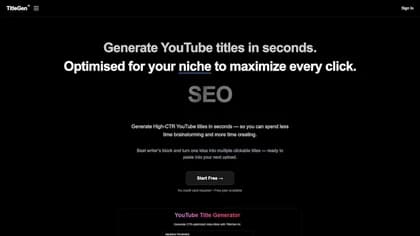
TitleGen helps YouTube creators research ideas and prepare upload metadata. Its Channel DNA feature reads a channel's niche, tone, upload frequency, and content patterns, then saves that context for later generations. The aim is to keep new titles and descriptions aligned with the channel.
Saved channel context
TitleGen scans a YouTube channel URL and saves a Channel DNA profile. The publisher describes using that profile to generate descriptions and tags that fit the channel's topic and voice. Its interface examples show niche and tone details alongside upload patterns.
You can generate and refine titles from a topic or video idea, then use the saved profile for the rest of the upload package. The service lists titles, descriptions, tags, and timestamps among its outputs. Its help centre covers title generation, descriptions, channel scanning, and manual profiles.
Research before an upload
Keyword Intelligence and Niche Intelligence help identify ideas and keyword opportunities. The Subniche Outlier Radar looks for videos outperforming their subniche and presents them with thumbnails and data. It can turn those discoveries into prompts for developing an idea.
Weekly Radar scanning is included in the Creator and MAX/Agency plans. The plan table distinguishes the number of active radars from the number of saved channel profiles, so a creator managing several channels should compare both allowances. The website's breakout examples and time-saving claims illustrate the product's positioning; they do not guarantee views or search rankings for a new upload.
Plans and generation limits
TitleGen's free plan includes five generations without a credit card. The homepage lists Pro at $9 per month, Creator at $29 per month, and MAX/Agency at $149 per month. Pro includes up to five Channel DNA profiles; Creator lists 15 and MAX/Agency lists 50.
The FAQ qualifies unlimited Pro generations as subject to fair use. Higher plans add Radar access and CSV exports, with white-label channel reports listed for MAX/Agency. The publisher says subscriptions can be cancelled from the account's Plan page. Review the current plan limits for the number of channels and research scans you intend to maintain.