
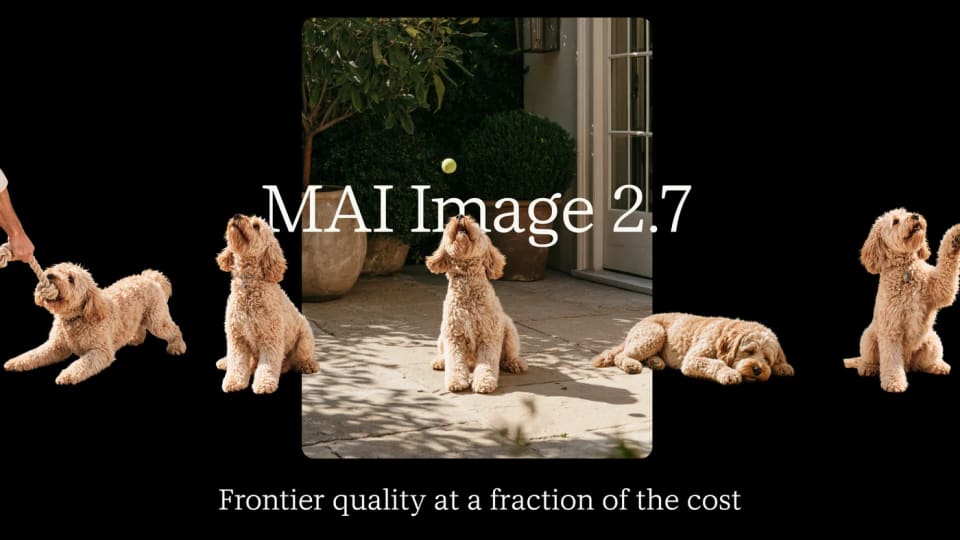
Microsoft detailed MAI Image 2.7 and MAI Image 2.7 Flash on November 17, 2026, with public preview access through Microsoft Foundry. The release emphasizes targeted image editing, transparent backgrounds and a new Canvas workspace in MAI Labs.
What can creators change?
Microsoft’s announcement describes editing an object’s color, material or position while keeping the rest of an image consistent. The company also says both models support transparent backgrounds, allowing generated assets to be placed into another design without a separate manual cutout.
Canvas runs on MAI Image 2.7 Flash. Users can begin with a prompt or sketch, generate a result and select an area to replace, move or restyle. That workflow is aimed at refining an existing composition rather than discarding the whole image after each revision.
What do the rankings and prices mean?
Microsoft reports that MAI Image 2.7 ranked first on Artificial Analysis’s AA-Image-Editing v2.1 as of November 16. Its stated 1,215 Elo score came from 5,478 votes and was four Elo ahead of GPT Image 2.6 Sunburst at maximum effort. The result concerns that editing evaluation, not a universal lead on every creative task.
The company quotes approximate Foundry prices of $35 per 1,000 images for MAI Image 2.7 and $10 per 1,000 images for Flash. Those are the announcement’s workload-dependent estimates; teams should check the configuration they intend to use.
Where can people try the models?
Microsoft points to MAI Labs, including Canvas, and public preview through Foundry and named distribution partners. The release also describes creative platforms working with the model family.
Franklin analysis: evaluate a series of edits on the same asset. Check whether the requested region changes, whether untouched details remain consistent and whether transparent edges survive export. A preference ranking can identify a model worth trying, but the finished asset and the cost of revisions determine whether it fits a production workflow.
For the wider creative workflow, Adobe Firefly workflow coverage covers quick edits and reusable production workflows.
