
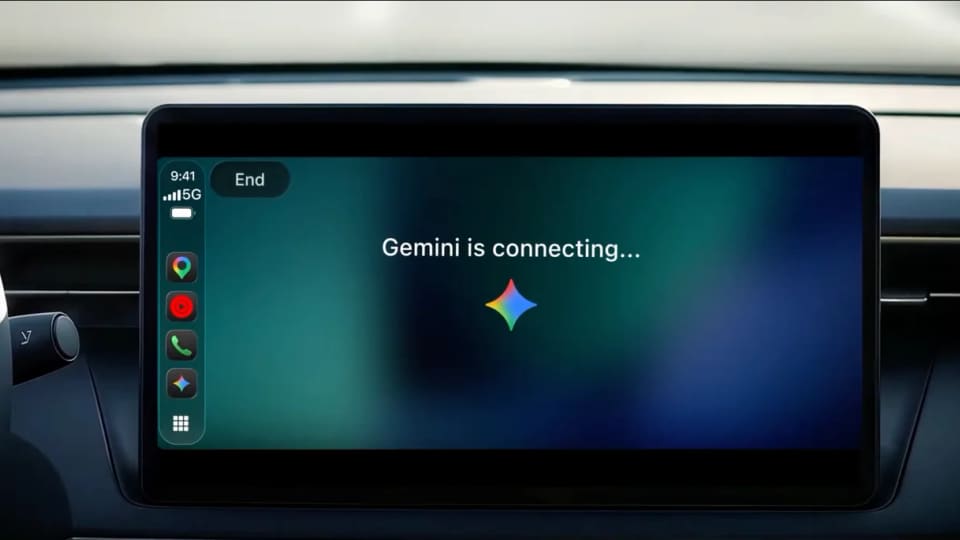
Google announced on November 11 that Gemini Live is coming to Apple CarPlay. The company says the rollout is global for Gemini users on iOS across supported Gemini Live languages. The change follows earlier availability through Android Auto and vehicles with Google built in.
What is available in the car
CarPlay users can open Gemini from the car’s display, start a conversation or resume a recent one. Google describes voice conversations where a person can add a detail, change the subject or pause. Its examples include asking what is on a calendar, catching up on unread email or talking through a presentation. These examples show what Google expects the feature to support on a compatible setup.
How to prepare the iPhone
Google gives three setup steps: update the Gemini app, allow microphone access and use Gemini Live on the phone at least once. On the next connection to the vehicle, users can look for the Gemini icon on the CarPlay display. Google also says conversations sync with the iPhone, so users can continue after parking. Access follows the rollout and the account’s supported language.
What to check before using it
Set up the phone and confirm that the CarPlay icon is present while parked. If the plan is to ask about calendar entries or email, check the relevant account connections first. The announcement is about voice access to Gemini through an existing CarPlay screen. Google’s examples describe tasks the assistant may help with, while the actual answers still depend on the user’s connected information and what the service can retrieve.
