
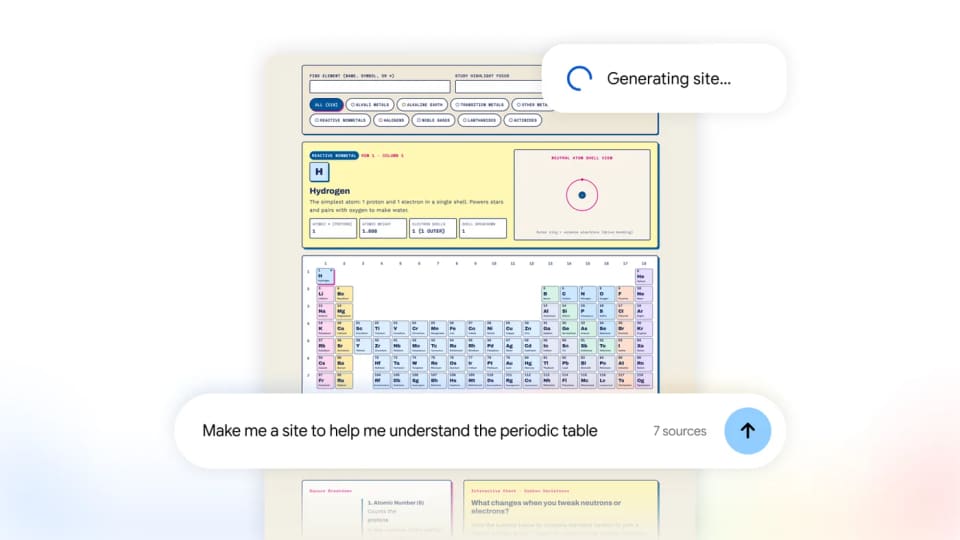
Google announced interactive site generation in Gemini Notebook on November 16. The Gemini Notebook update describes a way to turn a set of sources into a visual explainer, dashboard or tracker that someone can explore outside the chat.
What Gemini Notebook can create
Google’s examples include a periodic table or historical timeline for studying, a dashboard to explore quarterly sales, and a project tracker for tasks and deadlines. The choice of source material and the description in the request determine what the site is supposed to help a reader do. In Google’s examples, the site can organize material into a view that invites interaction, such as exploring elements or checking a particular quarter.
How to build and open a site
Google says to start from a Gemini Notebook chat. Ask the notebook to make a site and describe the result you want to create from its sources. When it finishes, the announcement says users can choose Open in a new tab to interact with the site or share it with others.
A useful first request is specific about what the visitor should be able to inspect. A study timeline and a sales dashboard need different navigation even if each starts with a set of documents. Before sharing, check a few of the displayed dates, quantities or classifications against the source notebook.
Who can use it now
Google says the capability is rolling out globally on the web for Gemini Notebook users aged 18 or over, including Google Workspace subscribers. The company describes mobile app support as coming soon. It gives no mobile release date in the announcement.
