
Cli-Anything
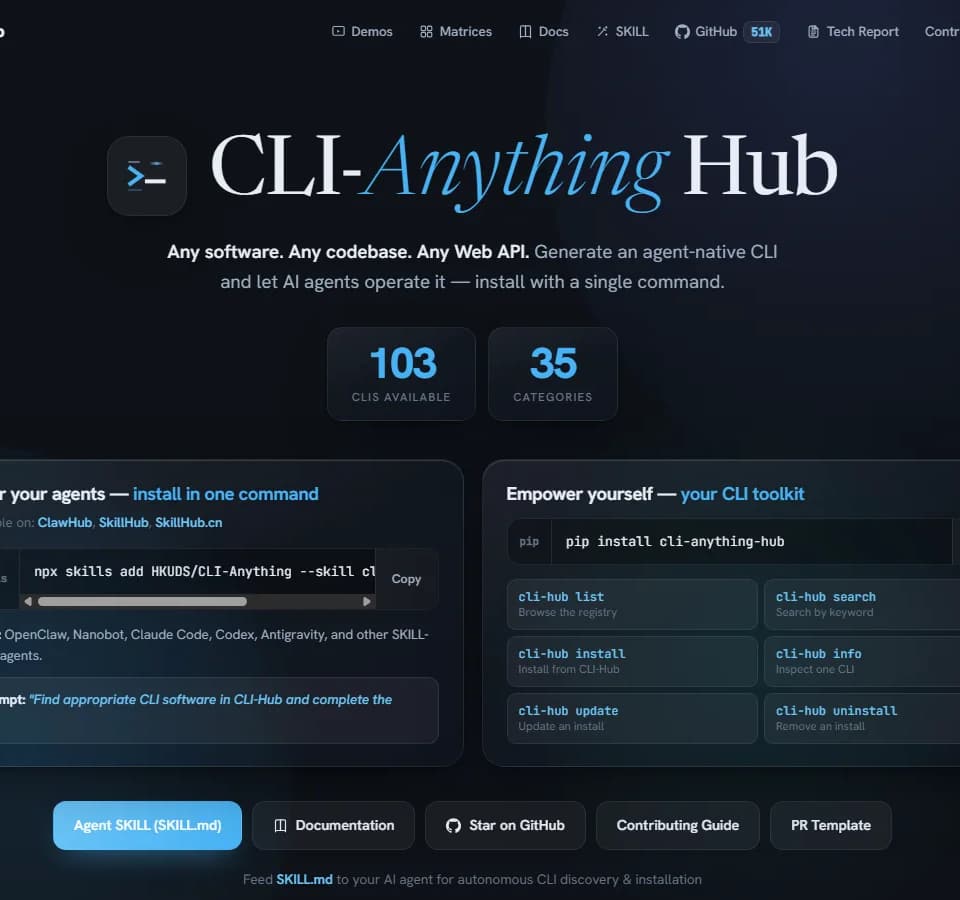
CLI-Anything Hub is a registry and installation interface for command-line tools that AI agents can operate. The publisher describes generating agent-native CLIs for software, codebases and web APIs, then discovering those tools through the hub. It also lists public CLIs maintained by their respective software owners.
The useful starting point is a particular application and task. A CLI can give an agent structured commands instead of requiring it to navigate the application's graphical interface. The registry does not establish that every feature of every listed application is covered.
Discover an interface before granting it access
The site provides a Python package, cli-anything-hub, with commands to list the registry, search by keyword and inspect an individual CLI. Further commands install, update and uninstall an interface. Inspect the tool's description and requirements before adding it to a working environment.
Separate the hub's installer from the application being controlled. A generated interface may still need the target software, an account or API credentials. Check those requirements in the selected tool's documentation rather than interpreting a one-command installation as a complete deployment.
The hub's matrices are capability bundles: curated intents mapped to provider CLIs. They help narrow a search around the kind of work required. Confirm that the chosen interface supports the specific output and input formats your task needs, especially when combining several tools in a workflow.
Give an agent a bounded task
The publisher offers a skill-installation path for SKILL-compatible agents and names several supported agent environments. The supplied prompt asks an agent to find appropriate software in CLI-Hub and complete a task. That discovery ability does not replace approval for account changes, installations or file operations.
Begin with a non-sensitive copy of the input and a clear output location. Limit access to the files and services involved, then inspect both the command result and the resulting artifact. A command that exits successfully can still create an incomplete diagram or an incorrect model.
The site's demos show generated interfaces producing CAD models, Blender scenes and diagrams. They describe selected trajectories and previews. Use them to understand the intended workflow, not as a reliability benchmark for another application or an unattended production task.
Keep ownership and maintenance clear
CLI-Anything-generated interfaces and public CLIs are separate parts of the catalog. The site states that public tools remain the property of their original owners and maintainers. Review the license and update source for the interface you install, alongside the terms of the target software.
The hub exposes update and uninstall commands, which can help manage an installed toolkit. Record the version used for a repeatable workflow and test updates before replacing a working configuration. The supplied page does not establish a universal subscription price, guarantee unrestricted application access or provide support terms for every listed tool.