
Fetra
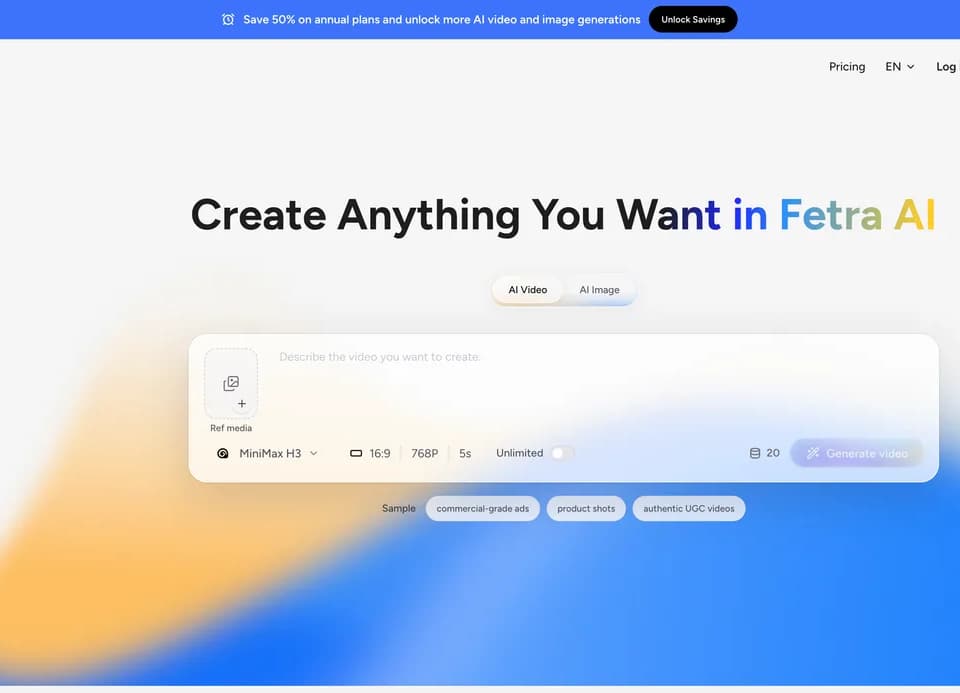
Fetra is a creative platform for developing videos and images in one workspace. Its AI Director uses a conversational workflow for briefs, scripts, visuals, scenes, and video projects. The service also provides access to image and video models and template-based creation paths.
Develop the project with AI Director
The publisher describes talking with AI Director to develop a complete video, rather than beginning with a single isolated prompt. That can help organize an idea into scenes and visual instructions. Review the proposed script and scene sequence before moving into generation, especially if the project includes factual claims or a client's product.
Fetra also advertises Viral Remix and templates for adapting creative formats. Use those as structural starting points while making the content your own. A format's popularity does not establish permission to reuse someone else's footage, voice, branding, or likeness. Keep the source rights separate from the application's ability to transform an asset.
The product overview does not specify every Director control or editing operation. Check which parts of your planned workflow the active interface supports before assuming a conversation will deliver a fully assembled, export-ready production without further review.
Check model and generation settings
The homepage promotes MiniMax H3 video creation with native stereo audio and a Pro unlimited offer for fifteen-second, 2K videos. Treat that as a specific advertised entitlement, not a promise of unlimited access to every model or every output setting. Verify the current plan and model conditions before purchasing for repeated work.
Fetra is the application providing a workspace around these model choices; naming a model does not establish that Fetra developed it. Evaluate a representative result for motion, sound, and product detail before relying on a provider label as a quality guarantee.
The pricing page says actual usage varies by model, duration, resolution, output count, and settings. Estimated generation quantities are for reference. Check the credit cost of the selected task instead of assuming every video consumes the same amount.
Confirm the plan before budgeting
The public Basic offer lists 400 monthly credits, two concurrent tasks, access to models, more than 100 templates and tools, and no watermark. The page does not show a complete currency price for that plan in its public text. Some model options are marked as upgrade access, so confirm the entitlement for the specific model you want.
The site invites users to start free, but the overview does not establish the starting credit allocation, full commercial-license conditions, or detailed data retention. Check those terms before client work or uploading confidential reference material. Keep your own copy of source assets and approved script decisions outside the service.