
Audio Cut
Audio Cut is a browser-based audio cutter for trimming music and recordings into shorter clips. It is designed for quick edits such as ringtone creation, podcast cleanup, voice-note trimming, and extracting a song section without installing desktop software.
What it does
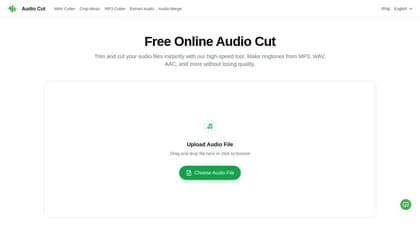
Audio Cut lets users upload an audio file, choose the start and end points with sliders, preview the selected section, choose an output format, and download the result. The service supports common formats including MP3, WAV, AAC, FLAC, OGG, M4A, and M4R, with M4R positioned for iPhone ringtones. The site says its browser-based processing preserves the original audio quality without unnecessary compression.
Its workflow is focused on interval trimming rather than full multitrack editing. For a similar browser-based task, Audio Cutter also centers on uploading an audio file, selecting an interval, previewing the result, and downloading an edited clip.
Who it helps
Audio Cut is aimed at people who need a fast, one-off edit rather than a full audio workstation. Podcasters and interviewers can remove pauses, mistakes, and empty introductions. Students and voice-recording users can shorten spoken files, while music listeners can extract a chorus, hook, or other highlight for a ringtone or short clip. Its responsive interface is intended to work on Windows, Mac, Linux, iPhone, iPad, and Android devices.
Notable capabilities
- Supports MP3, WAV, AAC, FLAC, OGG, M4A, and M4R input or output workflows.
- Uses start and end sliders with an audio preview to select the section to keep.
- Provides browser-based processing without requiring software installation.
- Advertises SSL encryption and automatic server deletion after processing.
- Supports ringtone, podcast, interview, voice memo, and short-form music clip workflows.
How it fits a workflow
The stated process has three steps: select or drag in an audio file, set the start and end points, then choose a format and save the clip. This makes the tool suitable when the required edit is simply removing unwanted material or isolating one continuous section. Users can work from a phone as well as a desktop browser, which is useful for creating a ringtone directly on a mobile device.
Strengths and limits
The main strengths are its focused interface, broad common-format support, preview-before-export workflow, and lack of a required installation. The website also states that uploads are protected with 256-bit SSL encryption and deleted after download. These are vendor claims rather than independently verified results.
Usage limits depend on the plan. The pricing information states that the Free plan allows one file per day as a guest or two files per day when signed in, with files up to 500 MB and 30 minutes. Paid plans support files up to 5 GB and six hours, with unlimited files; plan details and AI credit allowances are listed on the official pricing page. The site also states that core audio tools do not require separate AI credits.