
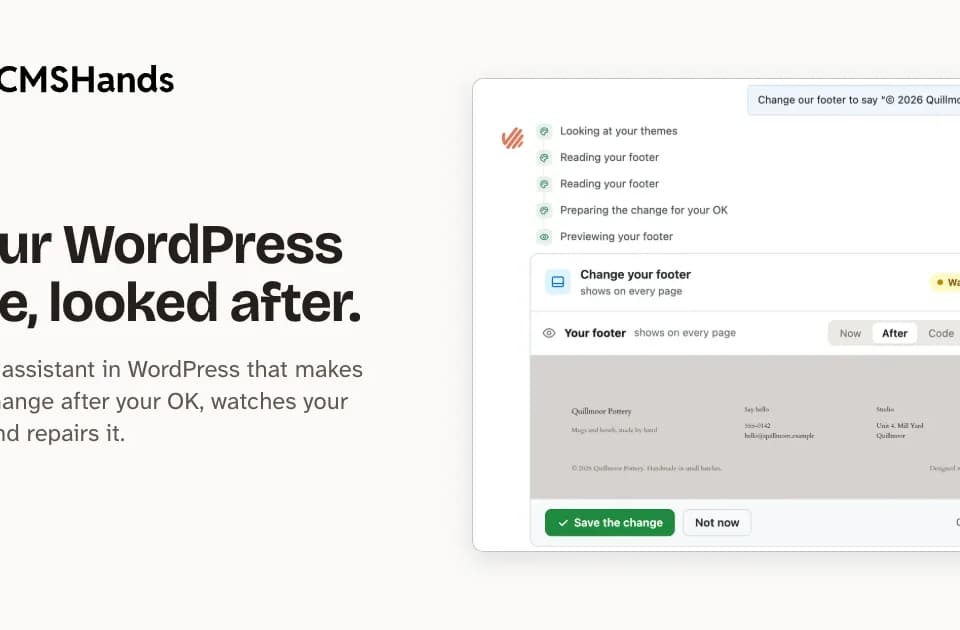
CMSHands: approved WordPress changes from chat
CMSHands adds an AI assistant to WordPress for reviewed site changes, health checks and repairs, with free and paid usage allowances.
CMSHands is a WordPress plugin that lets a site owner request changes through an AI assistant inside the dashboard. The official product page describes a preview-and-approval workflow, followed by a check of the saved change and an undo option where supported.
How do WordPress changes work?
The assistant reads the relevant site content and prepares a change card. Owners can inspect the proposed result before pressing the approval button. For code changes, the demonstration shows old and new lines; layout changes can include desktop and phone previews.
CMSHands says it reads the site again before changing or undoing content. If the owner has edited the same material in the meantime, it stops and reports the conflict. Some actions cannot be undone, and the card is meant to warn the owner before approval. The site’s footer demonstration is a vendor test, not a Franklin hands-on result.
What does site monitoring cover?
The free plan checks the site daily, while Pro and Max check every few minutes. The plugin adds rescue files that can report a crash even if WordPress cannot start. CMSHands says a person reviews a proposed repair before it runs.
The plugin must already be installed on a working site. It cannot be added after a site has stopped loading. The company also says hosts differ, so its test-site results do not establish universal compatibility.
How do owners install it and pay?
Owners download the plugin from CMSHands, upload it through WordPress and activate it. The publisher says the download page supplies a version, size and file fingerprint for checking the package.
The pricing page lists three initial changes without an account and ten monthly changes per site after adding an email. Standard Pro pricing is $20 a month for 100 shared changes across up to three sites; Max is $100 for 500 across up to 15. Introductory discounts have separate conditions.
What cannot CMSHands do?
The documented limitations include making backups, cleaning malware, managing multisite networks and editing Divi or Beaver Builder pages. Header and footer editing requires a block theme. Owners should check those constraints before using the plugin for WordPress maintenance or treating an undo feature as a backup.
Before you try it
Frequently asked questions
Does CMSHands need to be installed before a crash?
Yes. The publisher says CMSHands cannot be installed into a site that will not load. Its rescue mechanism depends on files the plugin added while the site was working.
Official sourceDoes CMSHands clean up a hacked site?
No. The captured product page lists cleaning malware or a hacked site among the functions CMSHands does not provide.
Official sourceWhich themes support header and footer changes?
The publisher says header and footer changes need a block theme. Older classic themes are not supported for those changes.
Official sourceWhat counts as a billable site change?
A change is an approved card that modifies the site. Questions do not count. The pricing page says undoing a change within 24 hours restores its allowance.
Official source