
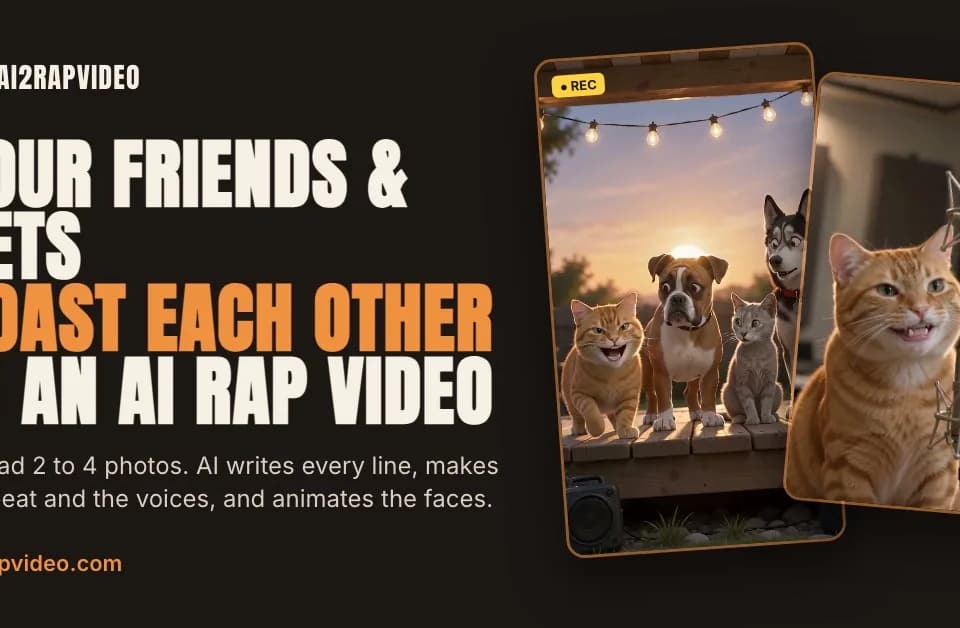
AI2RapVideo for photo-based rap clips and friendly roasts
AI2RapVideo creates rap performances from photos and a scene. Credit packs pay for video generation; separate lyric and naming tools can be used without signing up.
AI2RapVideo creates short rap clips from uploaded photographs, a selected scene and an optional topic or verse. Its official page describes a workflow that generates the words, beat, voice and animated performance together, rather than requiring a finished song upload.
What can AI2RapVideo create?
The product offers scenes such as birthday rap, friendly roast, studio session and Duo booth. Its documented standard workflow produces a 10-second MP4, while the live Squad diss selector accepts two to four photographs of people or pets. Follow the requirements displayed for the chosen scene rather than assuming every template takes the same inputs.
Users can leave the words to the generator or paste up to four lines of their own lyrics. The company says the scenes determine the mood, beat and camera movement. These are generated performances; the examples do not establish how accurately every new face or lyric will render.
What photos and audio can you upload?
The page accepts JPG, PNG and WebP images up to 8 MB. It recommends a clearly visible face in good light without sunglasses or heavy filters. People shown must be adults who agreed to the video; the publisher excludes children, celebrities and public figures.
Duo booth uses one photograph per participant so two people can trade lines. Its FAQ says HD lip-sync is not yet available on that scene. Uploading an existing song or MP3 is also described as a roadmap feature, so the current workflow generates its own soundtrack.
How does AI2RapVideo pricing work?
Video generation requires an account and purchased credits. The pricing page sells one-time packs without a subscription and says credits never expire. Standard clips and HD lip-sync have different credit costs, displayed before generation; failed videos return their credits automatically.
Separate lyric and naming tools are offered without signing up. Franklin's practical check is to inspect the scene's photo count, audio behavior and lip-sync availability before paying for a render. Review the finished words and faces before sharing a greeting or roast with the people depicted.
Before you try it
Frequently asked questions
Can I paste my own lyrics into AI2RapVideo?
Yes. The publisher says you can paste up to four lines, one per line, instead of having the generator write a verse.
Official sourceCan AI2RapVideo use an existing MP3?
Not yet. The current workflow generates the beat and voice from the lyrics; uploading your own audio is listed on the roadmap.
Official sourceCan I close AI2RapVideo while a clip renders?
The official FAQ says you can leave and return later because the videos remain in your list. Its stated render times are estimates, not independent measurements.
Official source