
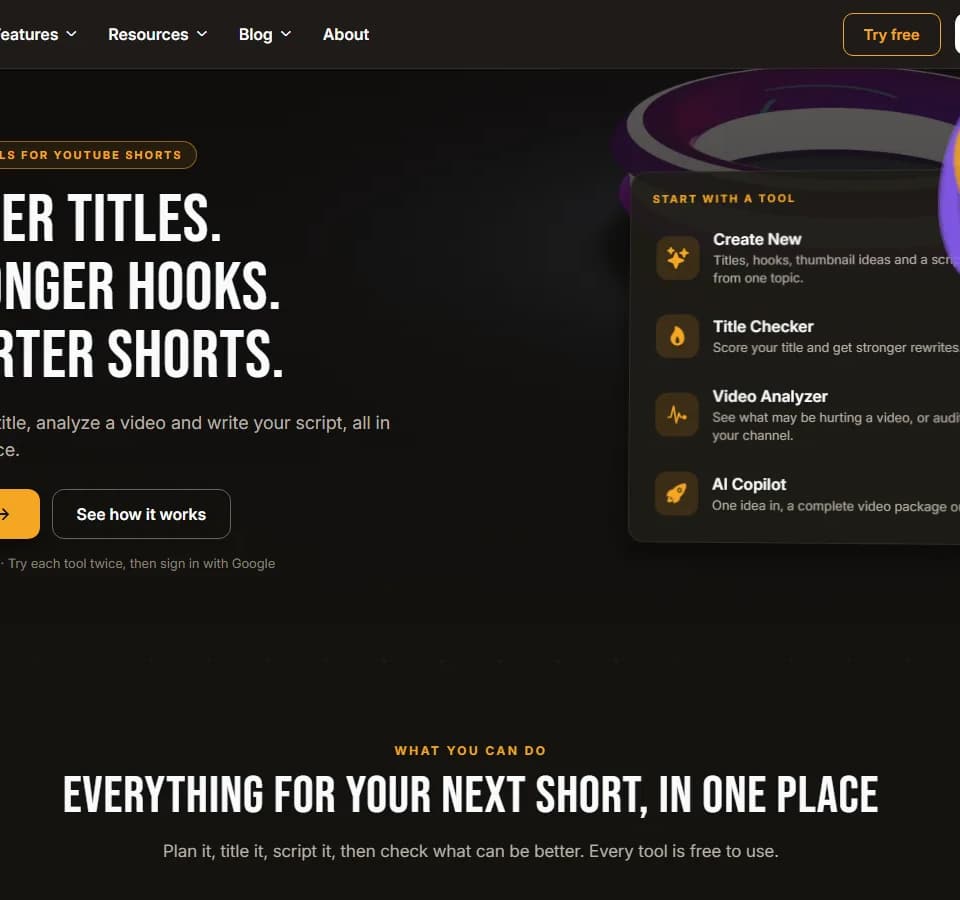
Shortsboost offers free title checks, video feedback and script planning
Shortsboost provides browser tools for titles, hooks, scripts and YouTube-video feedback. Google sign-in allows continued free use after two anonymous tries per tool.
Shortsboost is a browser toolkit for planning YouTube Shorts and Reels, checking titles and drafting scripts. Its official overview describes free tools that turn a topic, title or YouTube link into ideas and suggested improvements, with English-language output.
What can Shortsboost create?
Create New produces title options, opening hooks, thumbnail concepts and a script from a topic and tone. The Script Writer divides a short-form script into timed sections, from the opening to the call to action. A seven-day planner helps organize a week of ideas.
The AI Copilot combines a topic, hook, script, description and thumbnail planning in one workflow. These are preparation tools for a creator’s next edit. The terms describe thumbnail concepts, so readers should not assume that every thumbnail suggestion is a finished image ready to upload.
What does the video analyzer tell you?
The Video Analyzer takes a YouTube link and suggests likely weaknesses in the hook, pacing, title or ending. The Title Checker separately scores a title, explains its weaknesses and proposes rewrites.
Those outputs are suggested diagnoses. The publisher uses language such as “may be hurting” and “likely weak spots”; it does not establish that these suggestions are direct measurements of a channel’s private viewer-retention analytics. The terms describe generated content as a starting point that users must review, edit and fact-check.
How do access and pricing work?
The site says each tool can be tried twice without an account. After that, users sign in with Google to keep using the tools for free. Shortsboost runs in a desktop or phone browser without installing a local application.
The home-page FAQ states that all results are written in English. It also explicitly rejects a guarantee of more views. Franklin analysis: use its title rewrites and script structure as candidates for an edit, then check that the wording accurately represents the video. A model’s score or proposed hook does not establish audience demand or promise reach.
Before you try it
Frequently asked questions
Do I need an account to try Shortsboost?
No account is needed for the first two tries of each tool. The publisher says Google sign-in is then required to continue using the tools for free.
Official sourceWhat language does Shortsboost use for its results?
The home-page FAQ states that all results are written in English.
Official sourceDoes Shortsboost need a desktop installation?
No. The publisher says it runs in a browser on desktop computers and phones.
Official sourceDoes a Shortsboost score guarantee more views?
No. The publisher explicitly says no tool can promise views. Its title scores, ideas and video feedback are suggestions for creators to review.
Official source