
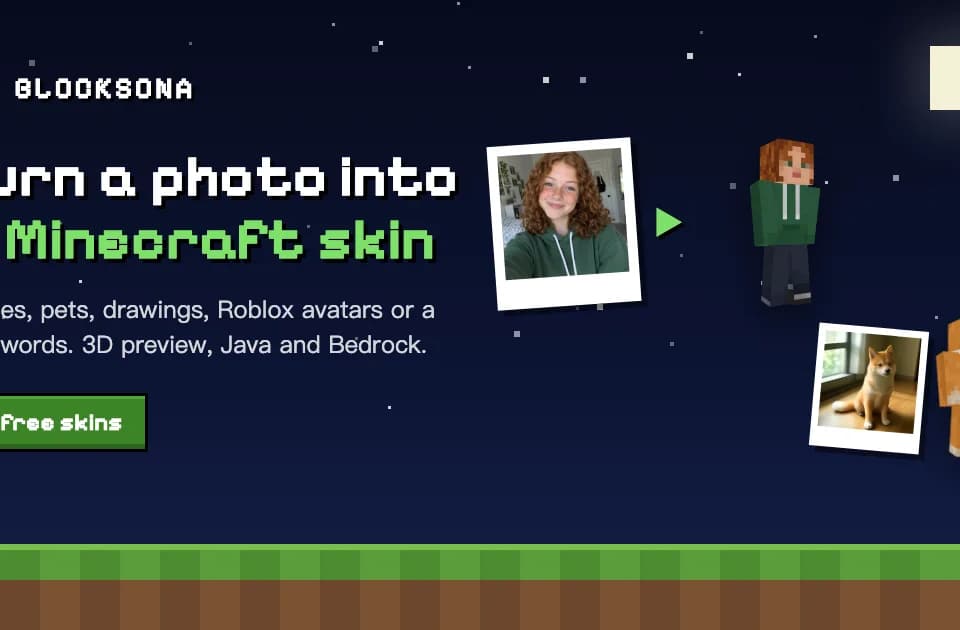
Blocksona for making Minecraft skins from photos or prompts
Blocksona makes Minecraft skins from photos, drawings, avatars and prompts, with an editable preview and exports for Java and Bedrock.
Blocksona turns a photo, drawing, Roblox avatar or written idea into a skin that a player can use in Minecraft. The output is a 64-by-64 texture, a flat file that wraps around the character. That structure gives someone who wants to use the result in the game a practical advantage over a standalone picture of a blocky figure.
Choose a starting point
The workbench has modes for a person, a pet, an uploaded image, a Roblox avatar and text. For a selfie, the publisher suggests a clear view of one subject. A Roblox user can enter a username or upload an avatar screenshot. The documented Roblox mode reads the public avatar picture. It does not require a Roblox password.
Preview before importing
The preview can rotate the character so you can look at the back and sides. The publisher also documents a choice of classic or slim arms. If a color or facial detail is off, the skin editor lets you repaint individual pixels on the flat texture or the 3D model. That is useful when most of the skin is right and only one small patch needs to change.
The result is available as a PNG, and Blocksona offers a Bedrock pack as well. A free browser viewer can open a skin without an account. Generation and saving to the private library require sign-in.
What uses credits
The pricing page lists one credit per generated skin, whichever mode you choose. New accounts start with three credits, under the listed limits. Paid credits come in one-time packs or a renewing Builder pass. The browser viewer and skin editor do not use credits, so you can inspect and adjust a result without paying for another generation.
Before you try it
Frequently asked questions
Can I make a Minecraft skin from my Roblox avatar?
Yes. Choose Roblox mode and enter the username or upload a screenshot of the public avatar. Blocksona says it does not need the Roblox password.
Official sourceCan I fix a skin without generating it again?
Use the skin editor to paint over pixels on the texture or the 3D model. Another generated skin is not required for those manual changes.
Official sourceDo I need an account to preview a Minecraft skin?
The free 3D viewer works without an account. Sign-in is required to generate a new skin or save results to a private library.
Official source