
FilmCraft for video editing with AI agents
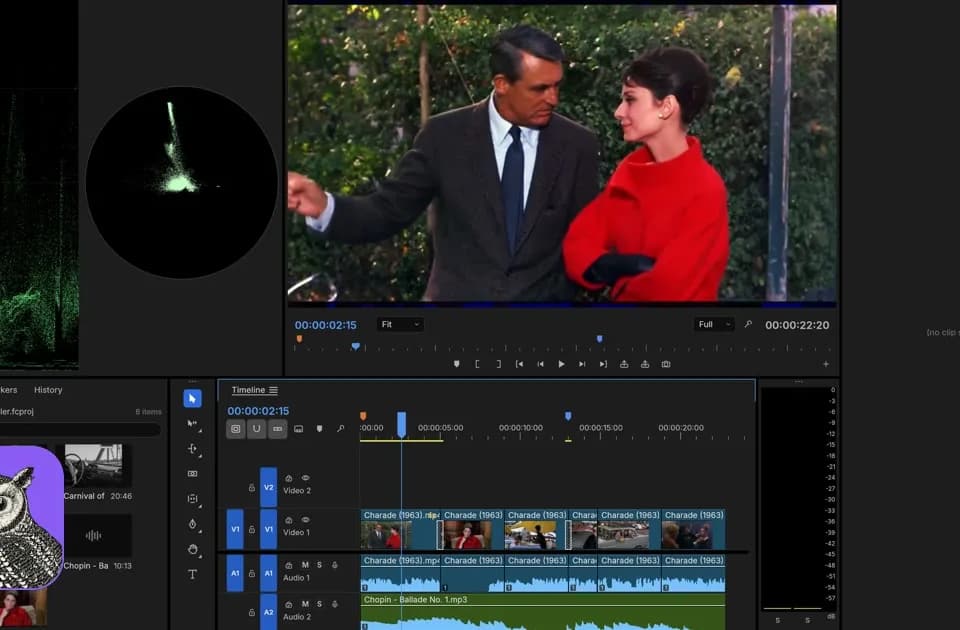
FilmCraft is a native video editor with source and program monitors, timeline trimming, color tools and agent-oriented command-line downloads.
FilmCraft is an in-development native video editor written in Rust. Its official publisher page describes a conventional timeline workflow with source and program monitors, editing controls, grading and audio tools, plus a headless command-line download for scripts and agents.
What editing controls does FilmCraft include?
The source lists three-point editing, trim modes and J/K/L dynamic trimming. An integer timebase is intended to keep fractional frame rates and drop-frame timing exact. These are editing and timing features, rather than a claim that the application generates a new scene from a text prompt.
For finishing work, the publisher lists curves, color wheels, HSL secondaries, LUTs, HDR and log workflows, and video scopes. It also describes roughly 55 video effects, 30 transitions and keyframes with value and velocity graphs. Audio controls include an automated mixer, loudness meters and native signal-processing effects.
How are media processing and automation handled?
ArtCraft says the editor has its own native codecs, including H.264, HEVC, ProRes, VP9, AAC and Opus, rather than using FFmpeg internally. That is the publisher’s implementation claim, not a Franklin codec compatibility test.
The download list includes a headless CLI for scripts and agents. This makes command-driven integration part of the published distribution, but the captured app page does not document every command or permission boundary. A proposed automated editing workflow still needs to be checked against the current command documentation and actual exported media.
How can you try the current version?
The publisher offers ArtCraft Launcher installation and updates as well as standalone packages for macOS, Windows and Linux. It describes the application as free on the listed platforms, with additional architecture-specific downloads.
Because the page labels FilmCraft in development, begin with copies of source media and a short representative project. Check frame timing, audio levels, project reopening and the target export format before using it for a delivery deadline. The official feature list establishes intended capabilities; it does not substitute for testing the current build on a particular production workflow.
Before you try it
Frequently asked questions
Is FilmCraft described as a text-to-video generator?
The captured publisher page describes a native timeline editor with source and program monitors, trimming, effects and finishing tools. It does not document text-to-video generation.
Official sourceDoes the distribution include a headless interface?
Yes. The official download list includes a headless command-line tool for scripts and agents, alongside the desktop application packages.
Official sourceIs the ArtCraft Launcher the only installation option?
No. Standalone FilmCraft installers are offered as an alternative. The launcher installs the app and keeps it updated.
Official source