
FaceSwapJoy
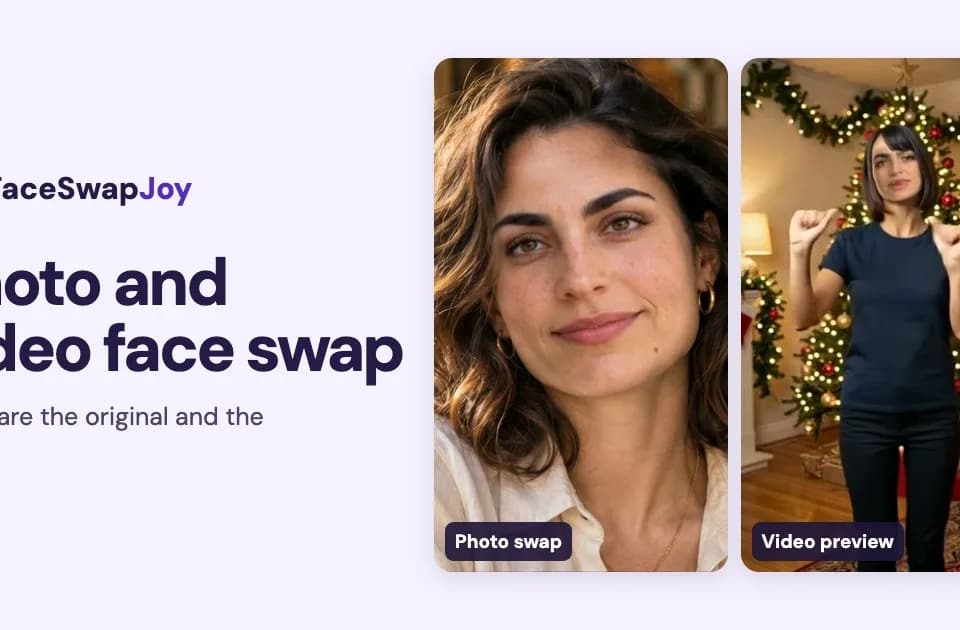
FaceSwapJoy offers single-face photo swaps and short-video previews. Personal files require sign-in, while built-in examples can be tried first.
FaceSwapJoy is a browser editor for single-face photo swaps and short video swaps. Its official homepage describes separate photo and video workspaces, with examples that let visitors inspect the controls before using personal files.
How do FaceSwapJoy photo swaps work?
Choose the scene to edit and provide a separate reference portrait for the face to use. The publisher recommends matching the head direction and keeping the eyes visible. A comparison slider lets users inspect the result against the original before downloading a JPG.
Personal-file jobs require sign-in. A saved photo example and a built-in video preview can be tried while signed out; these demonstrations should not be confused with unlimited free processing of personal uploads.
What can you check in a video preview?
The video workflow accepts a clip with one visible person and a separate portrait. Users can choose a short range around a head turn, lighting change or moment when the face becomes smaller. Compare that range with the original, then decide whether to request the full swap.
Video previews cover 0.5 to 3 seconds. A preview download contains only the selected segment, while the full-video download follows a separate full swap. The publisher advises checking the parts outside the preview before sharing the result.
How much does FaceSwapJoy cost?
The pricing page lists one-time packs of 20 credits for USD 4.99 and 60 credits for USD 12.99. A photo job uses one credit, a video preview three, and a full video swap twelve. Requesting both a preview and a full swap therefore costs fifteen credits.
Eligible new accounts receive three starter credits while the offer is available. This is a limited trial allowance, so the service is classified here as paid. Packs do not renew automatically. The publisher says credits charged for a failed job are returned when it is marked failed.
Where are files processed and kept?
Selecting files and initially viewing them happens in the browser. Video submission sends inputs to FaceSwapJoy's server. Photo jobs ask for separate consent before sending the selected photos to fal.ai for cloud processing.
The publisher says it removes its input copies after processing and makes results available for up to 24 hours from submission. Cloud copies follow fal.ai's retention controls. Use files you have permission to edit and obtain consent from the adults whose faces you use.
What are the practical limitations?
The workflow swaps one face at a time. Head angle, hidden eyes, motion blur and a hand crossing the face can affect the result. Franklin analysis is to spend a preview on the difficult moment in the clip, then review the complete export. Franklin has not uploaded personal photographs or performed a swap through the service.
Before you try it
Frequently asked questions
Can I try FaceSwapJoy without an account?
The official site offers a saved photo example and a free preview from a built-in video pair while signed out. Generating with personal files requires sign-in.
Official sourceWhat video files does FaceSwapJoy accept?
The publisher lists MP4, MOV or WebM clips from 1 to 15 seconds, up to 50 MB, plus a separate portrait up to 10 MB. Some MOV encodings may require conversion to H.264 MP4.
Official sourceDoes FaceSwapJoy keep all processing in my browser?
No. Video jobs send inputs to FaceSwapJoy’s server. The photo workspace asks for separate consent before sending the selected photos to fal.ai for cloud processing.
Official sourceHow long can I download a FaceSwapJoy result?
The publisher says results remain available to the submitting account or guest session for up to 24 hours from submission. Save the output before that period ends.
Official source