
Mixels.ai
Mixels.ai is a browser-based AI pixel-art generator and editor for creating grid-aligned 8-bit and 16-bit-style characters, sprites, avatars, and other retro graphics. It combines AI generation with a free Studio editor and supports photo-to-pixel-art conversion without requiring software installation.
What it does
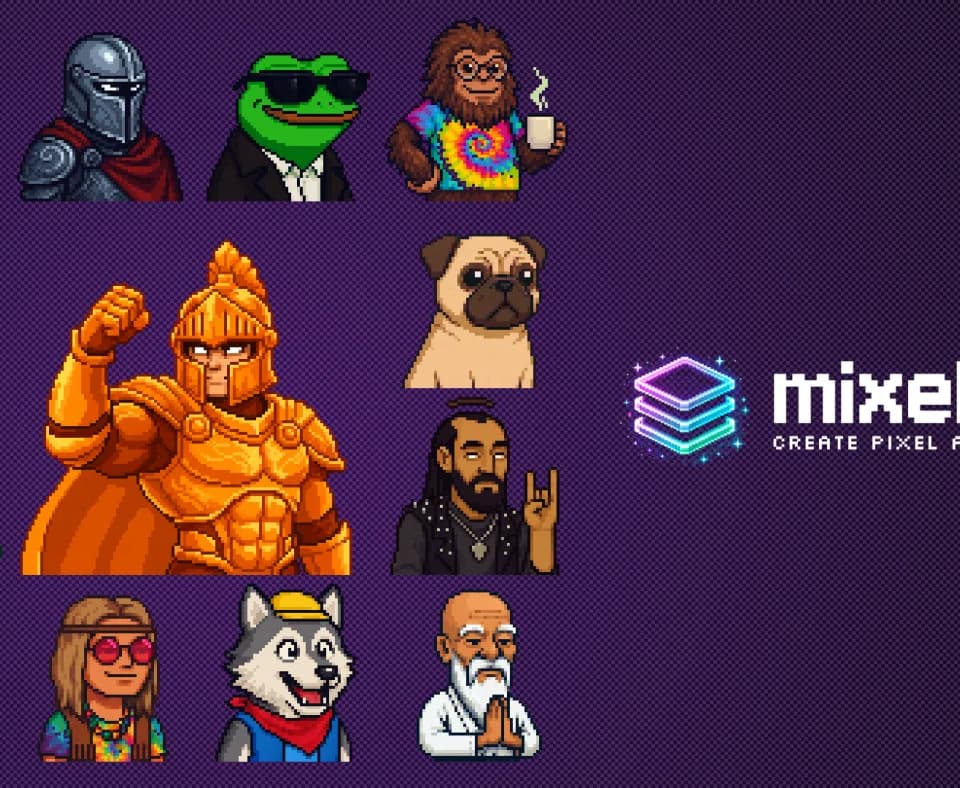
Mixels.ai supports text-based pixel-art generation and image conversion workflows. Users can create characters with configurable traits such as species, clothing, accessories, colors, and expressions, or transform an uploaded photo or image into pixel art. The vendor says its outputs are designed around proper grid alignment, limited color palettes, and consistent styling across character sets.
The service is aimed at game-ready asset creation, with typical documented output sizes of 32x32, 64x64, and 128x128 pixels. It can export PNG files with transparent backgrounds for use in Unity, Godot, GameMaker, and other game engines. Its image-conversion workflow overlaps with broader browser tools such as Nano Banana Web, which also supports creating or editing visuals from uploaded images, although Mixels.ai is specifically focused on pixel-art output.
Notable capabilities
- AI character generation: Create humans, creatures, robots, and fantasy beings with customizable visual traits.
- Photo-to-pixel-art conversion: Convert uploaded photos or images into grid-aligned pixel art.
- Browser-based Studio editor: Edit generated work or create pixel art from scratch using layers, pencil and brush tools, eraser, fill, selection tools, palettes, and undo/redo history.
- Project and export tools: Save and load projects, manage palettes, generate art inside the editor, and export transparent PNG files.
- Style consistency and metadata: Organize character libraries with species, colors, accessories, and custom tags while maintaining a consistent visual style across generations, according to the vendor.
Who it helps
Mixels.ai is positioned for indie game developers creating characters, enemies, NPCs, items, and sprite collections. It may also suit digital artists, retro-design projects, streamers seeking custom emotes or channel art, and users making pixel-art avatars or personal graphics. The editor provides a more hands-on workflow for people who want to refine AI-generated assets rather than only download a generated image.
How it fits a workflow
A typical workflow can begin with a text-described character, an uploaded image, or a blank Studio project. Users can then adjust the result with layer-based editing and palette tools, save the project for later, and export a transparent PNG for a game or digital project. The documented resolution range is oriented toward small sprite assets rather than general-purpose high-resolution artwork.
Strengths and limits
The product’s main strength is its narrow focus on pixel art, including grid alignment, retro palettes, small sprite resolutions, and editing tools in the same browser workflow. The free plan is documented as including the Studio editor, project saving and loading, PNG export, and three AI generation tokens. Paid figures are listed by the vendor as $12.95 per month for Pro with 300 monthly tokens and $99.95 per month for Studio with unlimited tokens, although other official pages show different token amounts. These figures should therefore be confirmed before purchase. The site also states that generated art can be used commercially, but users should review the vendor’s current terms for their intended project.