

Columns
Columns is a data automation and visualization platform that connects, transforms, analyzes, and presents data through Drive, Flow, and Graph.
Find AI tools for work, creativity and everyday tasks. Read what they do before you try them.
Columns is a data automation and visualization platform that connects, transforms, analyzes, and presents data through Drive, Flow, and Graph.
Atomic Chat presents an open-source local-model chat and agent application, with downloadable models, project organization, and desktop and mobile options.

gptimage2app.io is an image-generation website offering text prompts, image refinement and paid video features; its model branding does not verify OpenAI affiliation.

Socialprofiler summarizes public social-media activity into person-focused reports and AI question-and-answer sessions; its inferred interests and risk labels require cautious human review.

UGCVideo.ai generates synthetic spokesperson videos and ad assets from scripts or product links, with credit-based plans and important free-use restrictions.
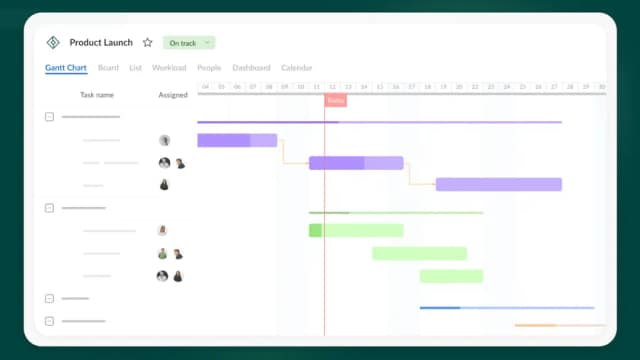
GanttPRO's AI maker turns a project brief into an editable schedule with task groups, dependencies, milestones and suggested roles, followed by team planning in GanttPRO.

gptimage20.online is a text-to-image generator designed to produce high-fidelity 4K visuals from descriptive prompts. By converting written concepts into detailed imagery, the tool...

Design.com combines AI-assisted logo discovery and editing with downloadable brand assets, matching templates and optional extended logo licenses.

Fitroom generates AI virtual try-on images by placing uploaded clothing on a preset or user-uploaded model.
Start with the job, not the brand. Pick a category, sort by newest to see recent launches, then open a tool page to read what it does, who it suits and where its official website is.
Sign in, choose Submit Tool, paste the tool’s official website, pick a category and add a sentence on what it does. Submitting is instant: it is saved straight away and appears in your submission history, where you can follow it through to its published page.
Yes. Founders and makers are welcome to submit their own tools. Link the official product page rather than a social post or app store listing, so readers land in the right place.
Some are free, many have a free plan, and some are paid only. Each tool page links to the official website, which has the current pricing, because plans and prices change often.
New tools are added every day. Sort by Newest first to see the latest additions, or follow the AI Tools RSS feed to get them as they are published.