

AI Yard Design Studio
AI Yard Design Studio turns a photo into a design Planning Sheet with numbered items and a DIY list, using credits that vary with resolution.
Find AI tools for work, creativity and everyday tasks. Read what they do before you try them.
AI Yard Design Studio turns a photo into a design Planning Sheet with numbered items and a DIY list, using credits that vary with resolution.

Dreamina generates images, videos, and talking avatars and offers photo editing, templates, and credit-based plans with account-specific pricing.
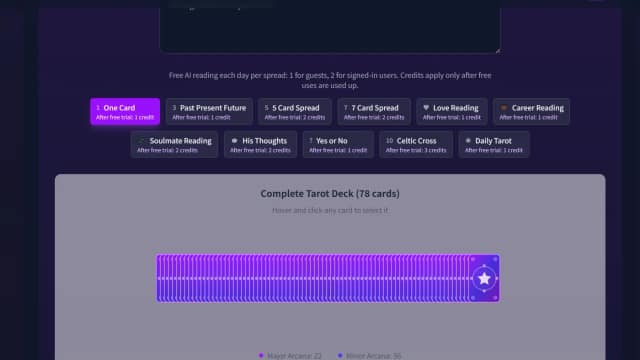
TarotGuide's card generator offers a single-card draw with AI interpretation, plus a 78-card library, larger spreads, and credit-based readings.

FlowChartAI combines diagramming, document conversion, media editing, video downloads, and transcription in a browser workspace. Its publisher advertises a three-month trial, but the...

Xbot77 Orange builds applications conversationally and connects them to Xbot77 CRM, workflow, storage, accounting, and other business services.

Template.net combines prompt-based generation, editable templates, brand settings, and native file exports for documents, designs, and presentations.

Crun offers a unified API for image, video, audio, and text models, with account keys, usage monitoring, and credit-based billing.

NVIDIA NemoClaw is an open source reference stack for running supported agents in OpenShell sandboxes with guided setup and managed operations.

GeoEvident returns ranked photo-location candidates with visual matches, case reports, audit logging, and cloud or on-premise deployment options.
Start with the job, not the brand. Pick a category, sort by newest to see recent launches, then open a tool page to read what it does, who it suits and where its official website is.
Sign in, choose Submit Tool, paste the tool’s official website, pick a category and add a sentence on what it does. Submitting is instant: it is saved straight away and appears in your submission history, where you can follow it through to its published page.
Yes. Founders and makers are welcome to submit their own tools. Link the official product page rather than a social post or app store listing, so readers land in the right place.
Some are free, many have a free plan, and some are paid only. Each tool page links to the official website, which has the current pricing, because plans and prices change often.
New tools are added every day. Sort by Newest first to see the latest additions, or follow the AI Tools RSS feed to get them as they are published.