

gptimage20.online
gptimage20.online is a text-to-image generator designed to produce high-fidelity 4K visuals from descriptive prompts. By converting written concepts into detailed imagery, the tool...
Find AI tools for work, creativity and everyday tasks. Read what they do before you try them.
gptimage20.online is a text-to-image generator designed to produce high-fidelity 4K visuals from descriptive prompts. By converting written concepts into detailed imagery, the tool...
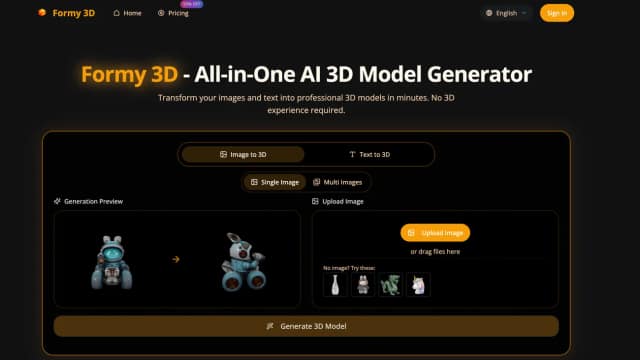
Formy 3D turns images and text prompts into downloadable 3D drafts for concepts and prototypes. Review geometry, export requirements and annual credit allowances before production use.

Veluvanto functions as an intelligent document management system designed to centralize scattered files and streamline information retrieval. By processing uploaded documents, the tool...

WishDay tracks birthdays and other occasions, sends customizable reminders, and generates editable AI greetings for sharing.

Codewhale, formerly deepseek-tui, is a provider-neutral coding agent with terminal and local-web clients, project editing, command tools and configurable approval boundaries.

Seedancy2.com is an independent video-generation wrapper with text and reference-image inputs, annual credit plans and inconsistent model labels that need checking.

Seed3D20.com advertises prompt- and image-based 3D generation with browser previews, credit plans and several possible export formats.

Brila turns Google Maps or Yelp review patterns into a business website, using customer reasons for choosing the business to guide its messaging.

ClipTrend.ai combines photo animation, prompt-based video, effects templates, and editing under one credit balance. Its independent service offers several named generation engines, with...
Start with the job, not the brand. Pick a category, sort by newest to see recent launches, then open a tool page to read what it does, who it suits and where its official website is.
Sign in, choose Submit Tool, paste the tool’s official website, pick a category and add a sentence on what it does. Submitting is instant: it is saved straight away and appears in your submission history, where you can follow it through to its published page.
Yes. Founders and makers are welcome to submit their own tools. Link the official product page rather than a social post or app store listing, so readers land in the right place.
Some are free, many have a free plan, and some are paid only. Each tool page links to the official website, which has the current pricing, because plans and prices change often.
New tools are added every day. Sort by Newest first to see the latest additions, or follow the AI Tools RSS feed to get them as they are published.