

Voe 4
Voe 4 is a browser-based AI video generator for creating short text-to-video and image-to-video clips with configurable formats, resolutions, and durations.
Find AI tools for work, creativity and everyday tasks. Read what they do before you try them.
Voe 4 is a browser-based AI video generator for creating short text-to-video and image-to-video clips with configurable formats, resolutions, and durations.

Dreamlux creates videos from text, images, or templates, with prompt refinement, aspect-ratio and length controls, and watermark-free downloads.

Kutt.AI generates videos from prompts or images and provides image creation, speaking avatars, reference-motion animation, and video effects.

Soro2 is an innovative AI video generator that allows users to produce professional-quality cinematic videos with ease. Its key features include realistic motion, consistent character...
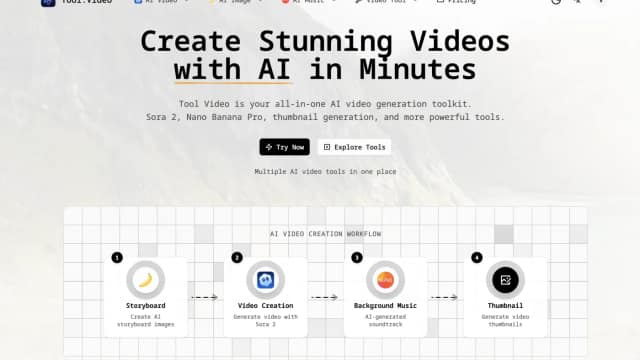
Tool.Video combines third-party generation options with thumbnail extraction, trimming and watermark-adding utilities. Current purchasing is directed to PAMA.

CUTY combines image, video, avatar and music creation tools in a credit-based service. Available models, concurrency and allowances depend on the subscription.

Seedance 2.0, developed by ByteDance, is a cutting-edge AI video generation tool that transforms text or images into high-definition cinematic videos. Key features include Seedance V2...

Leadde turns documents and slide decks into narrated business videos. It combines script generation, editable presentation imports, AI avatars, multilingual voiceovers, and export...

Kling 2.6 is a browser-based AI video generator with text-to-video and image-to-video workflows, native audio, motion controls, Draft Mode, multimodal editing, and plan-dependent 1080p,...
Start with the job, not the brand. Pick a category, sort by newest to see recent launches, then open a tool page to read what it does, who it suits and where its official website is.
Sign in, choose Submit Tool, paste the tool’s official website, pick a category and add a sentence on what it does. Submitting is instant: it is saved straight away and appears in your submission history, where you can follow it through to its published page.
Yes. Founders and makers are welcome to submit their own tools. Link the official product page rather than a social post or app store listing, so readers land in the right place.
Some are free, many have a free plan, and some are paid only. Each tool page links to the official website, which has the current pricing, because plans and prices change often.
New tools are added every day. Sort by Newest first to see the latest additions, or follow the AI Tools RSS feed to get them as they are published.