
Description
How I Gamified My Daily Tasks with AI
🌐 https://weweb.io/
👉 Latest AI News, AI Tools and AI Prompts: https://franklineh.com
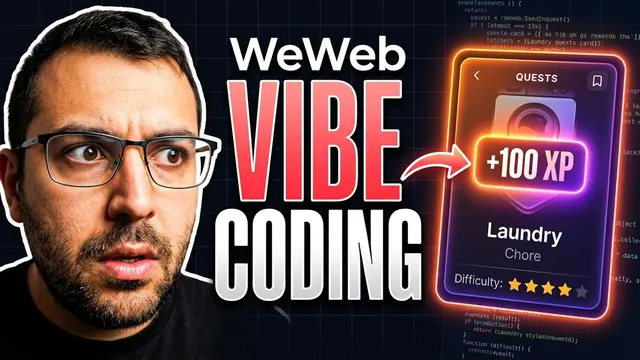
🔥 Join the newsletter free. No spam. Ever. https://franklineh.com/newsletter The complete walkthrough is on youtube.com. In this video, I’m showing you how to turn your daily chores and habits into a real-life cooperative RPG using the latest update from WeWeb. We’re building a "Couples Co-op" quest board where completing tasks earns you XP and unlocks rewards. I’ll walk you through the entire "vibe coding" process—from setting up a custom MCP server in ChatGPT to leveraging WeWeb’s brand-new built-in backend and tables. We’ll use a structured design MD file to create a polished UI instantly and then fine-tune the details to make the app truly functional. Whether you’re a no-code pro or just getting started with AI-driven development, this tutorial shows you how to gain full control over your web apps without the "vibe coding lottery." ━━━━━━━━━━ 🔗 SHOW LINKS ━━━━━━━━━━
🌐 https://weweb.io/ ━━━━━━━━━━ 📚 CHAPTERS ━━━━━━━━━━
00:00 - Introduction: Turning chores into XP
00:10 - What’s new in the WeWeb update?
00:50 - Starting the "Couples Co-op" project
01:10 - Connecting ChatGPT to WeWeb via MCP
01:50 - Using the new step-by-step documentation
02:10 - Importing layouts with GetDesign.md
03:10 - Prompting the RPG quest system logic
03:45 - Exploring the MCP server update
04:15 - WeWeb Tables: The new built-in backend
05:35 - Why manual UI fine-tuning is a superpower
06:15 - Handling "vibe coding" bugs and empty pages
06:55 - Demo: The final RPG landing page & signup
07:45 - Managing your Guild & Invite codes
08:05 - Creating your first "Boss Quest"
08:35 - Quick UI fixes in the WeWeb editor
09:10 - Deep dive into Data, APIs, and Custom Views
10:00 - Setting up Google/Social Auth step-by-step
Primary source: youtube.com ↗