
Grok Imagine
Grok Imagine is an AI image and video generator for creating short clips from text prompts or uploaded images. The official Grok Imagine tool offers text-to-video, image-to-video, text-to-image generation, automatically generated audio, and three creative modes.
What it does
Grok Imagine uses what its website describes as the xAI Aurora engine to generate images and videos. Users can enter a prompt or upload a static image, select a mode and aspect ratio, generate the result, and download it. The service says it supports videos from 6 to 30 seconds with synchronized background music and sound effects.
The tool supports five image and video ratios: 1:1, 2:3, 3:2, 9:16, and 16:9. Its image-to-video workflow adds AI-generated motion to a still image. According to the vendor, image-to-video is available in Normal and Fun modes, but not Spicy mode.
Notable capabilities
- Text-to-video: Generate short AI videos from written prompts.
- Image-to-video: Upload a static image and create an animated video with generated motion.
- Audio generation: Add automatically generated background music and sound effects to videos.
- Three creative modes: Normal is positioned for clear, balanced output; Fun uses playful styles and brighter tones; Spicy is intended for bolder, more expressive visuals.
- Text-to-image: Create AI images using the Aurora engine and choose from five output ratios.
Who it helps
Grok Imagine is aimed at creators producing short social content, concept videos, animated images, promotional visuals, and early creative drafts. Normal mode may fit users seeking relatively straightforward outputs, while Fun and Spicy provide more stylized directions. Its short duration range and built-in audio are relevant to workflows where a creator needs a complete clip rather than a silent visual that requires separate sound design.
How it fits a workflow
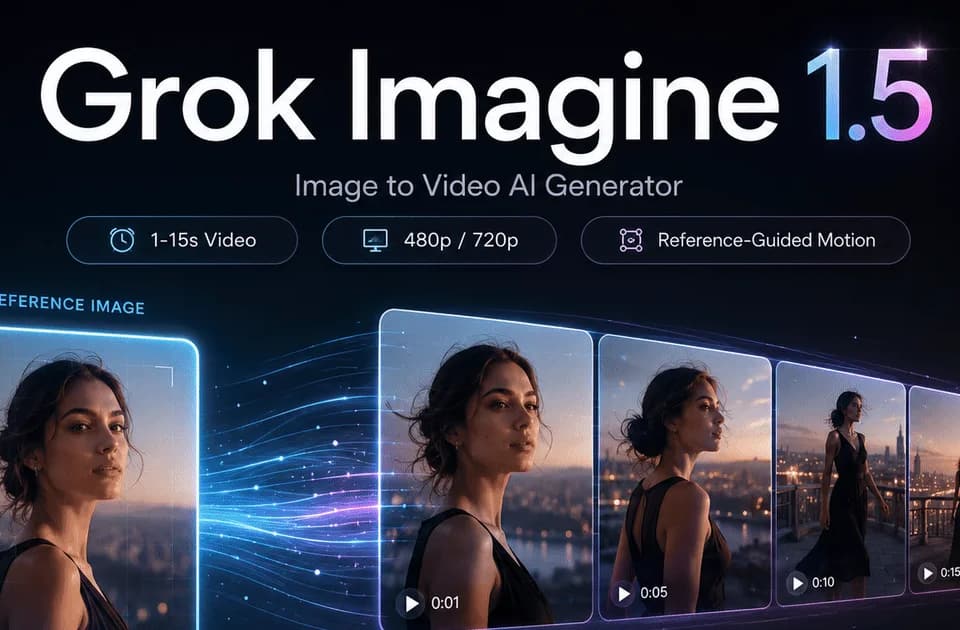
A typical workflow is to write a prompt or upload an image, choose a mode and aspect ratio, generate a clip, and download the result with audio. This makes the service suitable for quickly exploring several visual directions before editing or publishing elsewhere. For comparison within the same task category, Grok Imagine 1.5 is described in Franklin coverage as supporting text-to-video and single-reference-image-to-video clips from 1 to 15 seconds, while this service advertises 6- to 30-second videos and five listed ratios.
The site advertises 10 free credits when users sign up. Paid options are listed on the pricing page: Starter provides 1,000 credits per month for $11.90 monthly, Pro provides 2,400 credits for $23.90, and Studio provides 6,000 credits for $47.90. The listed plans include text-to-image, text-to-video, and image-to-video generation.
Strengths and limits
The combination of image and video generation, multiple aspect ratios, short clips, and auto-generated audio supports fast, social-oriented production. The main practical constraints stated by the vendor are the 6- to 30-second video range and the restriction of image-to-video to Normal and Fun modes. The website describes generation speed and photorealistic rendering as product benefits, but those claims are vendor-provided rather than independent performance measurements.