

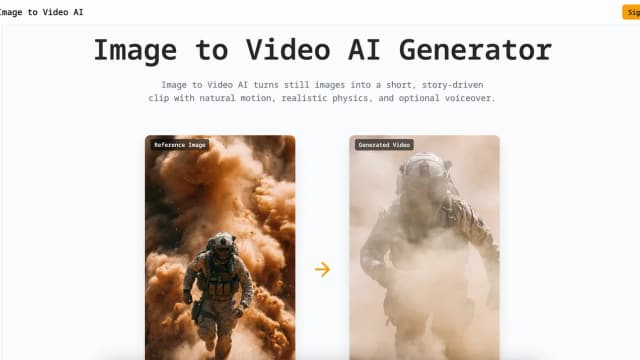
imagetovideoai.pro
Image to Video AI turns reference images into short clips with model, motion, frame, and output controls; subscription credits are valid for one month.
image2video.art combines photo-led video generation with model selection and a separate video-reframing tool, using credits for different workflows.
image2video.art offers online video generation from images or text. Its website lists several model families in one workspace, including Veo and Seedance. This is a multi-model service listing, not a claim that the website is operated by those models' developers.
The generator interface presents image-to-video and text-to-video modes. Its displayed Veo workflow includes ingredients and frames options, up to three uploaded image references, aspect-ratio choices and an eight-second duration setting.
Reference images can establish the subject while the prompt describes the movement or scene. Check the selected mode before uploading, since available controls differ by model. The site's claims about identical subjects and perfect motion are promotional descriptions, not guarantees that a logo, face or object will remain unchanged. Review the entire generated clip before publishing it.
The website also offers Video Reframe for changing an existing video's aspect ratio. Its upload field lists a thirty-second maximum, a 100 MB size limit and MP4, WebM or QuickTime formats. Those limits belong to reframing, not a universal allowance for every generation model.
Target ratios include square, portrait and wide formats. Check whether the important action remains visible after reframing, especially when adapting landscape footage for a vertical placement. The interface displays a separate per-second reframing charge, so this step can consume credits in addition to creating the original clip.
The page explains that credit use varies with the model and settings. It describes higher-fidelity options as more expensive than faster modes. A generation-button example should not be treated as the fixed price for every clip length or resolution.
Paid plans advertise watermark-free output and commercial rights. The publisher also says uploads are private and are not used for training without permission; these are vendor statements, not an independent security assessment. Confirm the actual billing interval, model access and applicable rights at checkout. Obtain permission for reference images and review generated content for misleading depictions before using it in client work or an advertisement.
Before you try it
The displayed 30-second and 100 MB limits belong to Video Reframe, which changes an existing clip's aspect ratio. The generation controls have their own model-specific durations; do not treat the reframing limit as a universal generation allowance.
Official sourceNo. The FAQ says credit use varies by model and settings, with high-fidelity modes costing more than faster options. Check the charge for the selected operation before generating or reframing.
Official sourceNo such guarantee is established. The interface describes uploaded images as reference material that guides generation. Inspect the full clip for changes to the subject, product details and composition before using it.
Official sourceImage to Video AI turns reference images into short clips with model, motion, frame, and output controls; subscription credits are valid for one month.

omni-gemini.ai presents reference-guided video and conversational edits, with credit plans whose 1080p limits differ from the page's broader 4K claims.

Seadance-video.com is an independent video-generation platform with prompt and reference inputs, model-specific settings and credit-based billing.

Atlas Cloud aggregates AI model APIs and media-generation workflows, with shared authentication, usage billing, and tools for asynchronous task completion.

Meetily captures meeting audio on your computer and offers local transcription, with optional cloud providers for summaries and paid workflow features.
Musicaura combines prompt-based music generation with lyric writing, vocal separation, and stem tools; publishing rights depend on the plan.