

Productshot
ProductShot AI turns uploaded product photos into listing images, studio and lifestyle scenes, with editing and credit-based generation.
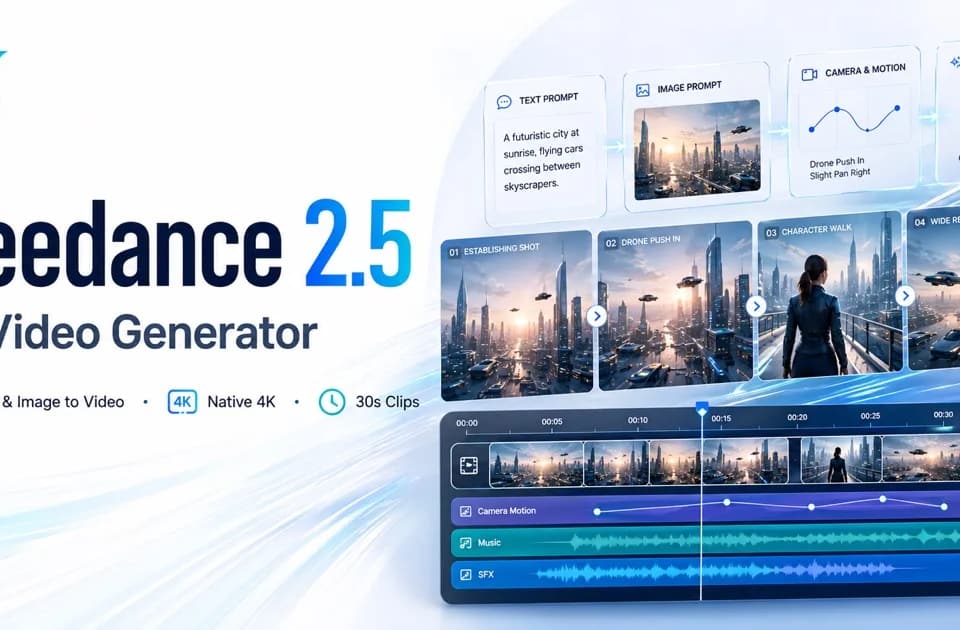
Seadance-video.com is an independent video-generation platform with prompt and reference inputs, model-specific settings and credit-based billing.
Seadance-video.com offers an online workflow for generated video. Its service overview explicitly says it is an independent platform, unaffiliated with ByteDance or Seedance. The model names identify technology the interface says it uses, rather than ownership of the website.
The homepage presents text-to-video, image-to-video and video-to-video modes. You can describe the intended action and camera movement or supply a reference that establishes the subject. The publisher also promotes local editing and multimodal references for guiding a scene.
Those controls may help communicate a creative brief, but the site's character-consistency and prompt-adherence claims are not independent output benchmarks. Review the generated movement and compare reference details before treating a clip as finished advertising material. A product scene needs to preserve the actual product, not simply resemble the requested visual style.
The visible generator lists 16:9, 9:16 and square aspect ratios, durations from four to thirty seconds, and 480p or 720p resolution. Other marketing sections advertise native 4K output, while the creation instructions mention different duration and model limits.
Check the active model's actual settings before buying credits for a particular delivery specification. A general 4K headline does not establish that every mode or plan exports at that resolution. Use a short test scene to inspect framing and continuity, then confirm whether the export meets the destination's requirements. The service describes generation history and previews, with sign-in required to access that history.
The pricing page lists Starter at $39.90 per month with 2,000 credits and separate higher-volume plans. Its estimated video counts differ substantially by model and refer to particular five-second settings. Do not add those alternative allowances together or read the largest count as a promise for thirty-second clips.
Review the credit estimate for your chosen duration and model before submitting a batch. Confirm the current license, renewal and reference-upload terms for client projects. The publisher's examples show intended creative uses, not proof that a generated asset will meet a campaign's factual or rights requirements.
Before you try it
The interface explicitly calls demo mode a free preview and says to sign in to start generating. Treat the demo and gallery as examples rather than evidence that a paid render has been produced for your account.
Official sourceNo. The marketing text advertises native 4K, while the visible generator offers 480p and 720p choices and pricing lists additional resolutions. Confirm the selected model and actual generator controls before budgeting for a particular output resolution.
Official sourceThe pricing table breaks estimates out by video model and refers to a five-second text-to-video baseline with different resolutions. The same credit balance can produce very different output counts, so use the chosen task's quoted cost rather than the largest headline estimate.
Official sourceProductShot AI turns uploaded product photos into listing images, studio and lifestyle scenes, with editing and credit-based generation.

Photo Upscaler AI offers online image enhancement and advertised 4K or 8K enlargement, with a daily free allowance.
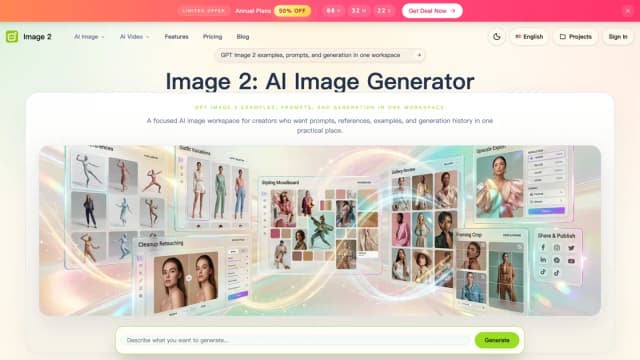
Image2.to combines still-image generation and editing with video tools, using prompts and optional visual references.

EzMaker offers browser photo editing with prompt-based changes, brushed object removal, background replacement, expansion, and upscaling.

AdWorker provides product-photo and background-editing tools, including transparent GIF cleanup, white backgrounds, and ghost mannequin images.

Photo Glare Remover offers browser-based AI inpainting for reflections and bright patches. Rebuilt details are generated estimates, and a free-try label does not establish unlimited downloads or credit use.