
Productshot
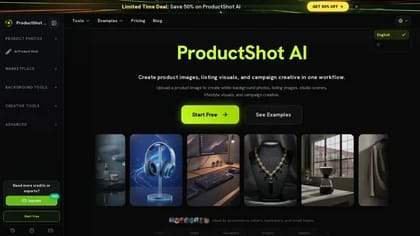
ProductShot AI is a browser-based product photography workspace for creating ecommerce images from uploaded product photos. It supports marketplace listings, white-background catalog images, studio scenes, lifestyle visuals, and campaign creative in one workflow.
What it does
ProductShot AI starts with a product image and can use optional reference images to guide the visual direction. Users can choose settings such as Product Lock, scene, lighting, angle, aspect ratio, and platform preset before generating variations. The workspace is designed to keep product characteristics—including shape, color, materials, packaging, labels, and logo placement—more consistent while backgrounds and compositions change.
The tool can create white or light-neutral backgrounds for storefronts and marketplaces, as well as studio lighting setups, contextual lifestyle scenes, launch-page visuals, advertising assets, and social creative. It also includes image editing and generation workflows intended for producing multiple visual directions from a single product upload.
Who it helps
ProductShot AI is aimed at ecommerce sellers, marketers, creators, designers, and small or production teams that need product visuals without arranging a separate photoshoot for every variation. It may be useful for marketplace operators preparing listing images, brand teams developing campaign concepts, and creative teams testing different compositions before final design or production review.
Notable capabilities
- Product Lock workflows intended to preserve recognizable product details across generated scenes and backgrounds.
- White-background and light-neutral image creation for catalog listings and storefronts.
- Studio, lifestyle, and campaign scene generation from an uploaded product image.
- Reference-image controls for guiding props, surfaces, composition, lighting, and brand mood.
- History tools for comparing, saving, sharing, and reusing previous outputs.
How it fits a workflow
The documented workflow is to upload a clear product image, optionally add reference images, select generation settings, and create new visuals. Users can then compare results, download images, share a result page, or reuse saved history for additional variations. This makes the product suited to iterative image production, such as creating several listing treatments, testing campaign directions, or adapting one product image for different channels.
The service uses credits. Its official pricing information describes recurring plans with monthly credits and one-time credit packs; the listed subscription tiers are Starter, Premium, and Advanced, with features such as HD export, queue priority, reusable presets, and additional team or production controls varying by plan. Credit validity and commercial-use terms also vary by offering, so those details should be checked against the applicable plan on the official ProductShot AI site.
Strengths and limits
ProductShot AI combines product-image generation, background changes, scene creation, references, and output history in one browser-based workspace. Starting from real product inputs may make it more relevant to ecommerce production than a general image generator, particularly when packaging and branding need to remain recognizable.
Generated images still require review for marketplace rules, text accuracy, and brand or legal suitability. ProductShot AI is presented as a faster alternative for iteration, but it does not replace review of final assets or guarantee that every generated label, product detail, or composition is accurate.