

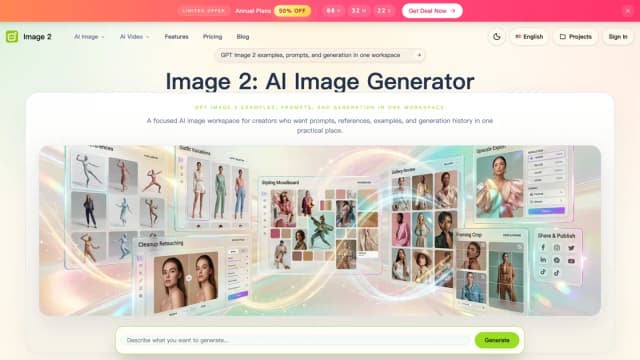
Image2.to
Image2.to combines still-image generation and editing with video tools, using prompts and optional visual references.
Photo Upscaler AI offers online image enhancement and advertised 4K or 8K enlargement, with a daily free allowance.
Photo Upscaler AI is an online service for enlarging photographs and improving their apparent sharpness. Its homepage advertises resolution up to 8K and an old-photo restoration use case. A larger output may be useful for a layout or print project, but the added detail should be judged against the original image rather than assumed to be a faithful record.
The publisher describes turning blurry pictures into sharper, higher-resolution images. It also presents restoration of faded photographs as a use case. Start with the best original file you have and choose an output size that fits the destination.
Compare the result at full size and at the size someone will view it. Inspect faces, lettering and textured surfaces, where an enhancement can look convincing while changing important details. Keep the original beside the edited copy if the photograph has documentary or family-history value. An attractive reconstructed feature is not proof that the original scene contained it.
The pricing page lists a $0 Free plan with up to ten image enhancements per day. It also advertises one hundred bonus credits each day after signing in, plus high-resolution 4K and 8K upscaling. The page says no credit card is required to get started.
Check how the enhancement allowance and credits relate before planning a batch. These figures do not explain the cost of each output size or establish that every export setting is unlimited. Confirm the available settings in the product and watch the credit balance during an initial test.
A practical first project is one photograph with a clear intended destination, such as an image slot in a presentation or a printed family photo. Download the result and inspect its dimensions and visible quality before relying on it.
Check the service's upload handling and applicable usage terms before submitting confidential photographs or images you do not own. The short homepage and pricing description do not specify a retention period. For photographs that identify people, establish that you have permission to upload and use them; the presence of a free plan does not resolve those questions.
Before you try it
Yes. The pricing FAQ says daily free credits refresh after signing in each day, with renewed credits every 24 hours. That bonus is described separately from the daily enhancement-count limit.
Official sourceNo. The pricing page lists one credit for 2×, two for 4×, four for 6× and six for 8× enlargement. A higher multiplier therefore draws down the balance faster.
Official sourceYes. The FAQ says you can download an enhanced image and continue editing it for design, print or other projects. Review generated detail and the actual output dimensions before using it in a final asset.
Official sourceImage2.to combines still-image generation and editing with video tools, using prompts and optional visual references.
ProductShot AI turns uploaded product photos into listing images, studio and lifestyle scenes, with editing and credit-based generation.

Seadance-video.com is an independent video-generation platform with prompt and reference inputs, model-specific settings and credit-based billing.

EzMaker offers browser photo editing with prompt-based changes, brushed object removal, background replacement, expansion, and upscaling.

AdWorker provides product-photo and background-editing tools, including transparent GIF cleanup, white backgrounds, and ghost mannequin images.

Photo Glare Remover offers browser-based AI inpainting for reflections and bright patches. Rebuilt details are generated estimates, and a free-try label does not establish unlimited downloads or credit use.