

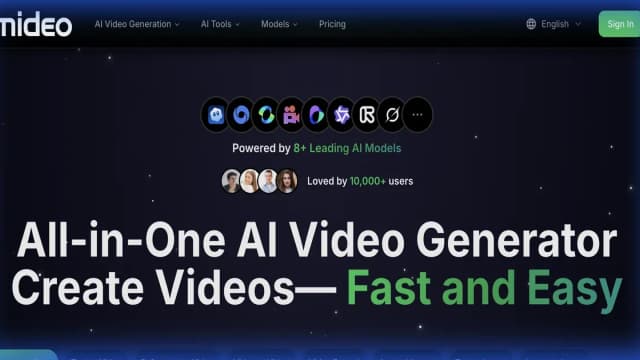
iMideo
iMideo brings text, image, reference, and video generation into one workspace, with model-dependent credits and storage limits.
omni-gemini.ai presents reference-guided video and conversational edits, with credit plans whose 1080p limits differ from the page's broader 4K claims.
omni-gemini.ai presents a video-and-image workspace under the Gemini Omni name. The site describes combining text, images and other references, then editing a scene through conversation. Treat those as this website's service descriptions: the name alone does not establish that Google operates the site or endorses its billing offer.
The visible generator lists up to seven slots and a maximum of one video. It gives ten-megabyte image and fifty-megabyte video limits. Check the accepted formats and duration in the current form before preparing a batch of references.
The publisher promotes reframing and recomposing a scene with plain language. Use a request that specifies both the change and what should stay, then inspect the output for changes outside the instruction. A conversational control does not guarantee that character identity, camera movement or audio remains intact.
The page also describes native synchronized audio and world-aware motion. Franklin has not reproduced its advertised quality. Preview the full downloaded clip rather than judging a single frame or assuming a physics-related label establishes realistic movement.
The homepage advertises 4K clips, while the inspected Lite, Pro and Ultra cards each say up to 1080p resolution. That discrepancy matters for a project with a specified delivery size. Confirm the selected mode and actual export dimensions before buying a plan for 4K work.
A model label in the interface does not resolve upstream provenance or access conditions. Verify the service receiving your payment and assets, and review its governing terms for the route you intend to use.
The pricing page shows annual totals of $178.80 for Lite, $298.80 for Pro and $598.80 for Ultra beside monthly-equivalent labels. Those figures should be checked at checkout rather than assumed to be month-to-month charges.
The cards list six hundred, fifteen hundred and forty-four hundred monthly credits respectively. They also distinguish one, four and ten concurrent generations. Concurrency is the number of tasks allowed at once, not a larger credit allowance or proof of faster completion for each request.
The page lists private generation, no watermark and commercial-license benefits. Read the applicable license and retention terms, and keep permission for the reference material you provide. A paid output label cannot establish rights to someone else's music, footage or likeness.
Before you try it
The interface displays up to seven slots with at most one video, image files up to ten megabytes and videos up to fifty megabytes. The page also describes text and audio references; inspect the selected generation mode's actual controls before preparing a large input set.
Official sourceNo. Although the homepage advertises native 4K, the captured plan table lists up to 1080p resolution. Confirm the selected plan and run's actual export setting before purchasing capacity for a 4K deliverable.
Official sourceThe pricing page offers credit-pack top-ups alongside monthly and annual plans. Check the selected pack's terms and allowance rather than apply a subscription's monthly credit quantity to a one-time purchase.
Official sourceiMideo brings text, image, reference, and video generation into one workspace, with model-dependent credits and storage limits.

Kinovi offers a browser studio and REST API for image, video, and audio generation, using a shared pay-as-you-go credit balance.
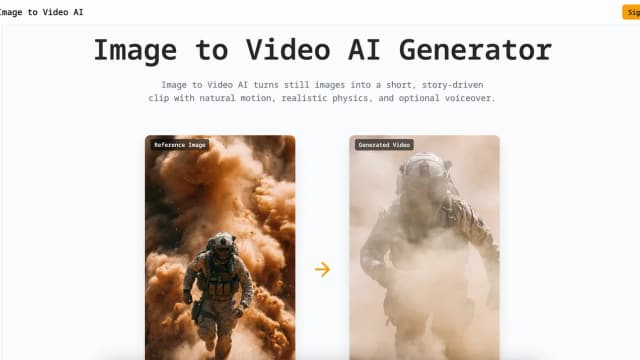
Image to Video AI turns reference images into short clips with model, motion, frame, and output controls; subscription credits are valid for one month.

image2video.art combines photo-led video generation with model selection and a separate video-reframing tool, using credits for different workflows.

Free.ai combines chat and media tools under a shared token balance, with capped free use, paid model routes and separate optional app hosting.

AdWorker provides product-photo and background-editing tools, including transparent GIF cleanup, white backgrounds, and ghost mannequin images.