
Roxy
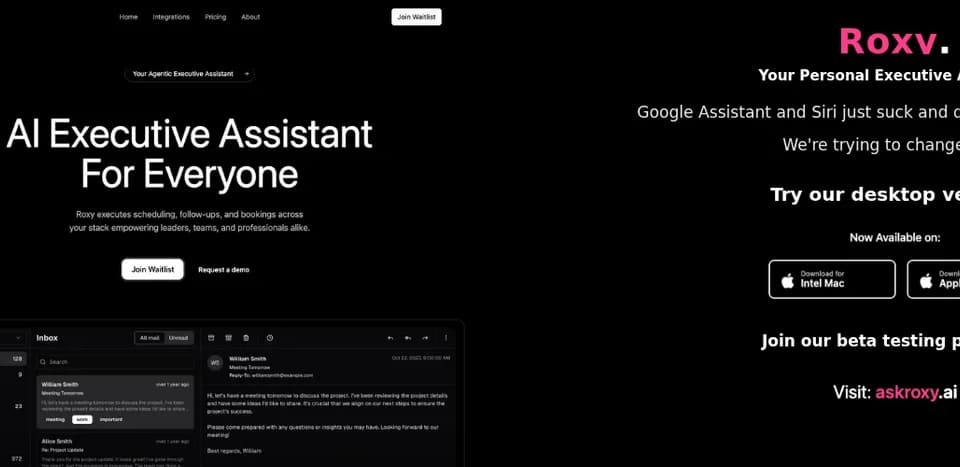
Roxy is an AI executive assistant designed to take action across calendars, communication tools, and booking workflows. Roxy’s official site describes a service that turns natural-language requests into planned and executed tasks, with approval controls for users who want to review actions before they occur.
What it does
Roxy handles administrative work such as scheduling meetings, sending follow-ups, booking services, and coordinating reminders. The vendor describes a four-step workflow: the user makes a request in plain language, Roxy analyzes relevant information, presents options with explanations, and then executes the selected actions. It returns a task summary and audit trail after completion.
The service supports calendars, email, chat, and voice or call-related workflows. Documented integrations include Slack, Gmail, Microsoft Outlook, Google Calendar, Microsoft Calendar, Discord, Microsoft Teams, Zoom, and Google Meet. The integrations page describes capabilities such as finding times across attendees, rescheduling events, adding meeting links and reminders, managing RSVPs, and handling booking confirmations. Some integrations are identified as phased availability rather than universally released functionality.
Notable capabilities
- Copilot mode: Drafts replies and meeting times, prioritizes tasks with reasoning, and asks for approval before acting.
- Autopilot mode: Handles routine scheduling and follow-ups using learned preferences and pre-approved automations.
- Headless automation: Supports API or webhook triggers, batch jobs, event-driven chains, CRON jobs, CI/CD workflows, and back-office processes.
- Cross-tool coordination: Connects calendars and communication platforms to manage scheduling, messages, reminders, and meeting links.
- Action oversight: Provides action logs, audit trails, and outcome summaries; the vendor also lists least-privilege OAuth scopes and export or deletion on demand.
Who it helps
Roxy is positioned for students, individual professionals, executives, and small teams that want to delegate recurring coordination and communication work. Professionals may use it to reduce inbox and calendar administration, while teams can apply it to routine scheduling, follow-ups, and connected task workflows. Its approval-based Copilot mode may suit users who want review control, while Autopilot is intended for predefined routine actions.
This places Roxy in a similar workflow area to SuperIntern, which also supports email, meeting coordination, scheduling, and follow-ups. The products differ in the documented operating model: Roxy explicitly offers both user approval and pre-authorized execution modes, while SuperIntern’s reviewed workflow keeps email drafts for a person to review and send.
How it fits a workflow
A user can ask Roxy to schedule a meeting, receive proposed times based on calendar data and preferences, approve or delegate the execution, and receive a completion summary. More advanced users or operations teams can use webhook, API, scheduled, or event-driven triggers instead of a visible chat interaction.
Strengths and limits
Roxy’s main strength is its stated range of control levels, from draft-and-approve assistance to automated execution and headless workflows. Its documented security features include encryption in transit and at rest, least-privilege OAuth scopes, audit trails, and enterprise SSO/RBAC. The pricing page lists a $25 monthly plan with up to 50 connected integrations and standard support, while also displaying “Coming this Fall.” This indicates that availability and feature rollout should be checked before relying on the service for production workflows.