

Hintedly
Hintedly is a desktop meeting assistant that uses screen, audio, and file context for suggested responses, followed by notes and follow-up drafts.
Zocks is an AI workflow platform for financial advisers, combining meeting documentation, client-data updates and follow-up drafts with integrations.
Zocks is an AI assistant built for financial-advisory practices. Its product combines meeting preparation and notes with client profiles, follow-up emails and data updates in connected business systems. The purpose is to support an adviser's workflow, not to establish that generated information or recommendations are correct.
The Zocks overview describes preparing agendas from client information, taking meeting notes, updating a CRM and drafting a follow-up email. It also lists document extraction and form filling for onboarding and planning workflows.
Review the meeting summary before transferring details into a client record. A mistaken amount or an action assigned to the wrong person can spread into later emails and forms. Keep the client's actual instructions distinct from a generated suggestion, and use the firm's approval process before sending material externally.
The publisher advertises more than forty two-way integrations and connections to other AI tools through MCP. The practical question is whether the systems your practice uses support the fields and actions you need, rather than the total integration count.
Confirm what the connection can read or change and which team members can access the resulting client information. Begin with a controlled workflow and inspect the saved fields. A successful note import does not establish that every planning-system field will be populated appropriately or that all connected assistants should receive the same client context.
Zocks says it does not record client conversations and offers access controls and customizable retention. Those claims do not mean that no client information is processed or stored: notes and profiles remain part of the workflow. Review the actual data-handling terms, permissions and retention settings with the firm.
The homepage offers a fourteen-day free trial and a demonstration. Customer stories about growth and time saved are vendor-published examples, not guaranteed outcomes for another practice. Use a trial to check documentation quality and operational fit, while keeping financial judgments and compliance approvals with the responsible professionals.
Before you try it
Its features page lists virtual, in-person and phone meetings, with note-taking described as operating without meeting recordings. That claim concerns recordings; the product also creates notes, transcripts and other results with configurable retention policies.
Official sourceIt pulls client information from connected CRM, email and other systems to draft summaries, agendas, action items and emails. Its integration features then sync client data, notes and tasks back into connected workflows.
Official sourceNo. The pricing page separates Essentials' meeting and CRM features, Professional's form filling and MCP access, and Ultimate's account opening, document extraction and advanced workflow automation. Enterprise deployments have separately scoped system and policy requirements.
Official sourceHintedly is a desktop meeting assistant that uses screen, audio, and file context for suggested responses, followed by notes and follow-up drafts.

Monologue combines dictation, voice notes and bot-free meeting transcription on Apple devices, with synced note access and formatting controls. Its trial and paid pricing are documented separately.

TREK is a self-hosted, open-source collaborative travel planner with itineraries, maps, budgets, packing lists, reservations, journaling, and MCP-based AI access.

RoomFoundry creates interior-design ideas from a room photo and lets users identify pieces to keep, with a free preview and one-time credit packs.
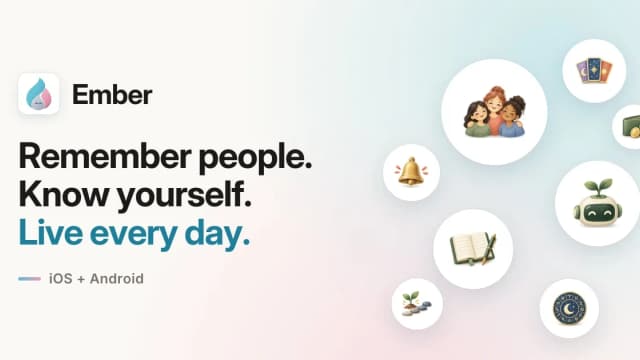
Ember organizes personal contacts, journals, reminders, and money records, with a conversational assistant that drafts updates for confirmation.

Skillsize helps consultants and internal experts package their methods as reusable AI skills with sequenced reasoning, evidence requirements and human review stages.