

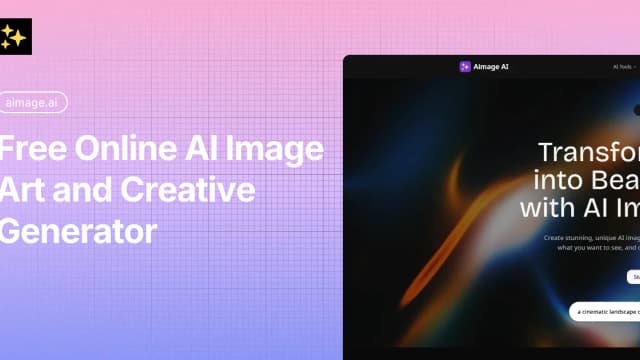
Aimage
Aimage combines prompt-based image generation, photo style changes, image-to-prompt tools and AI video creation. Check credits and output rights before choosing a plan.
Leonardo.Ai offers prompt-led image creation, video motion tools, image and video editing, and resolution enhancement for visual projects.
Leonardo.Ai is a generative AI platform for images, art and video. Its official overview describes creating visuals with simple prompts or custom models, with choices suited to different aesthetics and uses. The page presents concept art, detailed characters and styles as starting points for further refinement.
The published gallery includes illustrative scenes, product-style images and editorial compositions. Those are examples supplied by Leonardo, rather than evidence of how a particular prompt will perform for you. The platform's stated workflow gives you a way to explore visual directions and refine a chosen idea.
Leonardo describes AI animation and motion tools for turning static ideas into video content. Its listed applications include storytelling, social content and product experiences. The site treats video creation as part of the creative platform alongside its image tools.
For learning the motion workflow, the homepage points to tutorials on video prompting and storyboards. These are starting resources linked by the vendor; this overview does not claim to have watched them or evaluated a generated clip.
Leonardo offers editing for images and video. Its stated aim is to preserve important elements such as characters, composition and style while you adjust a result. That describes a refinement workflow where you can change existing material without starting the whole concept again.
The platform also advertises resolution and clarity enhancement for assets intended for print, high-resolution displays or professional delivery. These are vendor-described capabilities, rather than a measured quality guarantee. The examples and feature descriptions provide a place to investigate the kind of visual work you want to produce.
The homepage links guided tutorials for getting started, understanding image models and writing image prompts. It also lists material on art styles, storyboards and product prototypes. You can begin with the resource that matches your intended output, then explore the related creation or editing tools.
Visit the official Leonardo.Ai site to see the current product and learning links. This entry covers its creator-facing visual platform. The page also links a developer API, but an API integration is outside this overview's scope. No account creation, media generation or hands-on functionality test was performed for this entry.
The reviewed official overview does not establish a complete plan price or a recurring free allowance. Check account pricing separately from the examples and feature descriptions before budgeting a production.
Before you try it
The official overview describes creating visuals with simple prompts or custom models for different aesthetics and uses. Gallery examples illustrate directions rather than guaranteeing the result of a new prompt.
Official sourceThe publisher describes AI animation and motion tools that turn static ideas into video content. The homepage points to video-prompting and storyboard resources; this entry does not report a tested generation.
Official sourceThe overview describes image and video editing intended to preserve important elements such as characters, composition and style. Check the selected tool and inspect the actual result before delivery.
Official sourceAimage combines prompt-based image generation, photo style changes, image-to-prompt tools and AI video creation. Check credits and output rights before choosing a plan.

insMind turns still images into short AI videos using motion prompts, previews, and image animation effects.
Krea combines image and video generation, enhancement, generative editing and LoRA training in a creative workspace with plan-specific compute allowances.

CamArt combines media generation and editing with reusable inspiration templates, displayed generation costs and private-by-default assets.
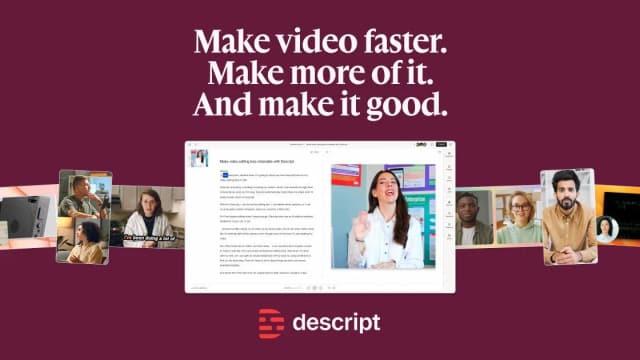
Descript edits audio and video through a transcript, with an AI co-editor, audio cleanup, recording and clip-making tools.

VEED provides browser and mobile video editing, AI video creation and subtitles, with account, export and workspace-seat limits depending on the plan.